

How to Brief a Digital Window Display Supplier in NZ
Most businesses hiring a window display supplier in NZ start with screen size and price. That is the wrong order. A shopfront screen runs for years, faces sun and weather, and only earns its cost if someone can change the content without a callout every week. The questions below are the ones we would want any owner to ask before signing, whether you run a real estate office in Auckland, a café in Dunedin or a retail store in Hamilton. Use them to write a proper brief, compare quotes on the same basis, and spot the answers that should make you pause.
Table of Contents
- Quick Takeaways
- Define the Window Before You Pick the Screen
- Hardware Questions: Brightness, Screen Type and Size
- Software, CMS and Remote Updates
- Pricing, Quotes and the Costs Nobody Mentions
- Installation, Lifespan and Service Commitments
- Real Estate and Retail Questions That Change the Brief
- Red Flags That Should End the Conversation
- Frequently Asked Questions
- References
Quick Takeaways
| Key Insight | Explanation |
|---|---|
| Brief the window before the screen | Measure sun exposure, glare and viewing distance first. A screen chosen for a shaded office will struggle on a sun-facing shopfront. |
| Get brightness in writing | Sunlight-readable and high brightness claims are easy to make and hard to compare. Ask for the rated figure and whether it holds once the unit sits behind glass. |
| Match the format to the frontage | Large LCD displays suit deep windows, hanging cable LCD displays suit narrower frames, and LED backlit real estate displays suit 24/7 advertising. |
| Confirm CMS integration is included | Check whether custom CMS integration sits inside the software subscription. At V Media, full custom integration to your CMS is complimentary within the subscription. |
| Get the lifespan figure in writing | LED backlit real estate displays are designed for 24/7 advertising with a 7-10 year life expectancy. Ask how that figure is measured and what the supplier will commit to. |
| Price every ongoing cost | Ask for paper, postage and content update costs alongside the hardware quote. The screen is often the smaller cost over its working life. |
Define the Window Before You Pick the Screen
Start with the glass, not the product catalogue. Stand outside your shopfront at the time of day when customers actually walk past, and note which way the window faces and when the sun hits it. A window that gets hard afternoon sun gets very different light from one in permanent shade, and that difference changes how bright a screen needs to be and whether it needs UV protection.
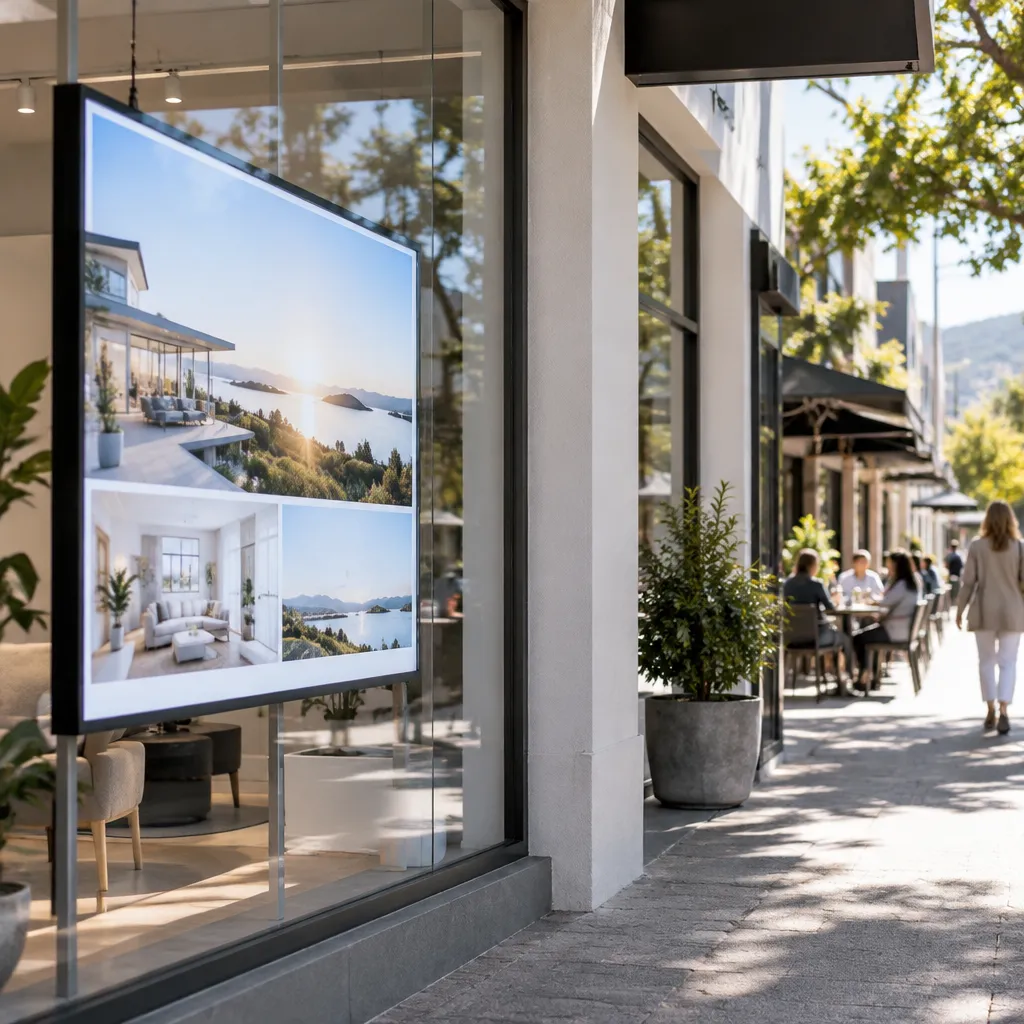
Next, write down who reads the window and from how far away. A pedestrian on the footpath reads a screen at a few metres, while a driver reads it at speed. Those two audiences need different text sizes, different amounts of content and different motion, so your brief should name them both.
Sun exposure and glare on your frontage
Ask the supplier how they assess your frontage before they quote. A good answer includes questions about sun hours, reflections from neighbouring buildings and whether the screen sits directly behind glass or inside a recess. If the supplier quotes from a catalogue without asking any of these, expect problems after installation. Our UV protected LCD display for sun-facing shop windows is built for exactly this kind of frontage, so ask whether your glass needs that level of protection.
Ask for a site visit or a set of photos at the hour your window is busiest. Glare from a passing car or a reflective building opposite changes what a viewer sees, and a supplier who has never looked at your window cannot judge that.
Viewing distance and the people you are talking to
Real estate windows and café windows serve different people. An agency needs a listing to be readable from the footpath during open hours, while a café needs an offer that can be scanned in a second. Ask which content layout the supplier recommends for your viewing distance and whether they will test text size against your actual window before you commit.
Pro tip: Take a photo of your window at the busiest hour and mark where the sun hits the glass. Send it with your brief. It saves a round of questions and gives every supplier the same starting point.
Hardware Questions: Brightness, Screen Type and Size
Hardware is where brochures are most generous, so make suppliers answer in specific terms. Ask for the brightness rating, the screen type, the available sizes and the mounting method. Then ask how each choice performs in your window, not in a showroom with the lights on.
How bright is bright enough?
Sunlight readability is the feature most often promised and least often tested. Ask what brightness the screen runs at, whether it adjusts with ambient light and how it performs on a sunny afternoon. Also ask whether the rating applies to the bare panel or to the complete unit once it is installed behind glass. For a wider view of how these screens perform in busy shopping periods, our guide to high brightness window displays for NZ shops covers the practical side.
LCD or LED: which one should you ask about?
LED signage is generally brighter and better suited to outdoor or brightly lit spots. LCD gives high-definition detail at a lower cost, which suits indoor or sheltered windows. Neither is automatically better. Ask the supplier to explain why they recommend one for your frontage, and be wary of a supplier who only sells one type regardless of your window.
For LED backlit real estate displays, ask about the print workflow. These displays are designed to take prints from your own A3 or A4 printer, so ask whether your team needs any specialist equipment and how often the print needs to change.
Sizes and mounting configurations
Our large LCD displays come in 49-inch, 55-inch, 65-inch, 75-inch and 86-inch sizes, in portrait or landscape orientation. Hanging cable LCD displays range from 21-inch to 32-inch and offer several hanging configurations, which suits narrow frames and more elegant boutique windows. Ask which size fits your window depth and viewing distance, and ask for the mounting plan in writing.
| Option | Best fit | Question to ask your supplier |
|---|---|---|
| Large LCD displays (49-inch to 86-inch) | Deep shopfront windows and agencies that need a full-size listing screen | How is the unit fixed to the window structure, and how is access handled for cleaning or repairs? |
| Hanging cable LCD displays (21-inch to 32-inch) | Narrow frames and elegant boutique windows | Which hanging configurations are available for my frame, and how is the cable load secured? |
| LED backlit real estate displays (printed A3 or A4) | 24/7 advertising with printed listings or offers | What life expectancy do you commit to in writing, and what does changing the print involve? |
Software, CMS and Remote Updates
The screen is only half the product. The software decides who can change content, how quickly, and whether updates happen from one dashboard or from a staff member standing on a step ladder. Ask how the system is managed before you spend time on the hardware specification.
Who controls the content, and from where?
Ask whether content is managed remotely over WiFi and whether your team can publish from a laptop or phone. A supplier that needs a technician for every change will cost you more over three years than any subscription saves. Ask which devices are supported, how scheduling works across several screens, and whether you can see the schedule for each window.
CMS integration: what should be included
Many quotes list CMS integration as an extra. At V Media, full custom integration to your CMS is complimentary within your software subscription, so ask every supplier to state their position in writing. Also ask whether the integration covers your existing marketing tools or only the supplier’s own dashboard. Real estate teams in particular should read our guide to digital signs for real estate windows, which shows how listing content can be kept current in the window.
Scheduling, automation and recovery after faults
Ask how scheduling and automation are set up on the player, and what happens after a power cut or a network drop. A system that resets to a default screen or loses its schedule after an outage will leave a blank or outdated window on your busiest morning. Ask the supplier to describe the recovery steps, not just to confirm that the feature exists.
Pro tip: Ask for a live demonstration of the dashboard using your own content. A polished slideshow from the sales team tells you very little about how the system behaves when you need to change a price at 8am on a Saturday.
Pricing, Quotes and the Costs Nobody Mentions
Most display prices are on request, which means you cannot compare suppliers unless every one of them receives the same brief. Use the Get a Quote button on our site and include your window dimensions, sun exposure and content plan so the quote reflects your actual frontage rather than a generic package.

Ask for ongoing costs alongside the hardware
The screen is usually the smaller long-term cost. Ask what it takes to keep content fresh. If your display uses printed inserts, ask for paper prices, postage and minimum order quantities before you sign. Our A3 premium printing backlit paper is $165.00 plus GST per box of 100 sheets, and our A4 premium printing backlit paper is $110.00 plus GST per box of 100 sheets. Both are 165gsm, and postage is $35 per box. If you are weighing printed paper against a screen, our comparison of backlit printing paper and digital screens for NZ shopfronts sets out the trade-offs.
Bulk paper orders and postage
If you order more than four boxes, ask about postage before you place the order. For bulk paper orders above four boxes, contact admin@vmedia.co.nz for cheaper postage costs. Ask any supplier to explain how postage and bulk pricing are calculated, because a vague answer usually means the real cost appears on the invoice.
The cheapest screen on the quote is rarely the cheapest display over its life. The cost that hurts is the one nobody wrote down, such as postage, content changes or a callout to reset a schedule.
Installation, Lifespan and Service Commitments
Installation is where a good display can still fail. A poorly installed screen reduces lifespan and reliability, so ask who installs, who calibrates and who handles faults once the unit is live. Ask whether the supplier’s own technicians attend site or whether a subcontractor is used, and what happens if your building needs access outside trading hours. Our first-time installation checklist lists the site details to confirm before the install date.
Lifespan: get the number in writing
Our LED backlit real estate displays are designed for 24/7 advertising with a 7-10 year life expectancy. Treat that as a design figure, not a guarantee of how any single installation will perform. Ask any supplier how their life expectancy is measured, under what usage, and whether they will put the commitment in writing. Our article on how long window displays last in NZ explains what affects that figure.
Service hours and response
Ask what support is available and when. Our office hours are Monday to Friday, 9:00am to 4:00pm, and you can reach us on +64 204 880 099. A supplier who cannot explain how a fault is reported, or who answers the phone when something breaks, has not thought about your weekend trading. Ask for a named contact and a response expectation in the quote.
Pro tip: Ask how a fault is reported on a Friday afternoon. The answer tells you whether support is built around your trading hours or the supplier’s convenience.
Real Estate and Retail Questions That Change the Brief
Real estate and retail run on different rhythms, and your brief should reflect that. Agencies need listings to change quickly and look consistent across offices. Retailers often need seasonal and promotional changes, and the run-up to Christmas is when many shops need fresh content at short notice. A supplier who has not asked about your calendar has not asked enough.

For real estate agencies: listing turnover
Ask how long it takes to replace a listing and whether your staff can do it without help. An agency operating in several suburbs needs the same look and format across every office, so ask how templates are shared and controlled. Our guide to digital window displays in NZ real estate marketing covers how agencies keep listings visible beyond opening hours.
For cafés and retailers: seasonal and promotional changes
Ask how quickly you can change a promotion and whether you can schedule it in advance. A good test is to ask the supplier to build a sample schedule for a multi-week campaign using your own content rather than a template. Our Christmas window display ideas for NZ retail are a useful starting point when you write that brief, especially with the holiday trading period close.
Red Flags That Should End the Conversation
Some answers tell you more than a price list. If a supplier avoids a question, gives you a figure without a test condition, or pushes you to decide before they have seen your window, slow down or walk away. It is far better to ask hard questions before the contract than to live with the answers afterwards.
Vague brightness and lifespan claims
Phrases such as “extremely bright” and “built to last” are marketing language, not specifications. Ask for a figure, the condition it was measured under and a written commitment. If the supplier cannot provide any of those three, you are comparing adjectives rather than products.
No written scope for integration or installation
Verbal assurances about CMS integration, installation or support tend to disappear once the contract is signed. Ask for each item on the quote, including what is excluded. A short written scope is more useful to you than a long brochure full of promises.
Pro tip: Compare at least two quotes using the same brief, the same window measurements and the same content plan. If the prices differ by a wide margin, the cheaper quote has usually left something out.
Frequently Asked Questions
How much does a digital window display cost in NZ?
Large LCD displays, hanging cable LCD displays and LED backlit real estate displays are priced on request through our Get a Quote button, so the cost depends on size, format and installation scope. Paper prices are fixed: A3 premium printing backlit paper is $165.00 plus GST per 100-sheet box, and A4 is $110.00 plus GST, with postage of $35 per box.
What should I ask a window display supplier before I sign?
Ask how they assess sun exposure on your frontage, what brightness rating applies once the unit is behind glass, what life expectancy they commit to, whether CMS integration is included in the subscription, what the installation scope covers and what support hours apply. Get every answer in the written quote.
Is LED or LCD better for a shopfront window?
Neither is better in every case. LED is generally brighter and suits outdoor or brightly lit spots, while LCD offers high-definition detail at a lower cost for indoor or sheltered windows. The sun exposure of your specific window should decide it.
How long should an LED window display last?
Our LED backlit real estate displays are designed for 24/7 advertising with a 7-10 year life expectancy. Ask any supplier how they measure that figure and whether they will commit to it in writing, because installation quality and usage both affect how long a display performs.
Can my team update content without a technician?
That depends on the system you buy. Ask whether content is managed remotely over WiFi and whether changes can be scheduled from a laptop or phone. A system that needs a technician for every change will cost more over time than a subscription that lets your own staff publish.
Do you supply businesses outside the main centres?
We supply commercial customers across New Zealand. Call +64 204 880 099 during business hours, Monday to Friday, 9:00am to 4:00pm, to talk through your location and frontage before you request a quote.
If you have briefed a display supplier before, tell us which question you wish you had asked at the start, and send it to admin@vmedia.co.nz.
References
- Overview of enterprise digital signage and managed services for New Zealand organisations
- Step-by-step guide to digital signage hardware, software, networking and installation