

LED Display Lifespan NZ: How Long Window Displays Last
If you are buying a backlit window display for a real estate office, café or retail shopfront, the first number you will see is usually “100,000 hours”. That figure sounds like a decade of constant advertising, but it describes something narrower than most buyers assume. The LED display lifespan you actually get in New Zealand depends on heat, brightness settings, daily running hours and how the unit is installed behind your glass. This guide explains what the numbers mean, where window displays wear out first, and what to check before you sign a purchase order.
Table of Contents
- Quick Takeaways
- What the 100,000 Hour Rating Actually Measures
- Why Heat Is the Biggest Threat to a Window Display
- Brightness Settings and Why Full Power Costs Years
- Sunlight, Shopfront Exposure and UV Protection
- Comparing Window Display Types for Long Daily Running
- Realistic Lifespan Planning for 24/7 Window Displays
- Maintenance and Replacement Planning
- Frequently Asked Questions
- References
Quick Takeaways
| Key Insight | Explanation |
|---|---|
| The 100,000-hour rating marks half brightness | Samsung’s business insights article explains that the figure indicates when a diode degrades to half brightness, not when it goes completely dark. Judge the rating by when the screen would start to look weak in daylight. |
| Expect a range, not a single number | Visual Led puts LED lifespans at roughly 80,000 to 120,000 hours, with estimates made under optimal conditions. Plan your budget around the lower end if your shopfront is hot or bright. |
| Heat is the main enemy | Samsung identifies heat as the biggest contributor to diode degradation. Check ventilation and clearance inside the window cavity before you check the spec sheet. |
| Full brightness costs years | Higher operating current increases brightness but shortens life. Set output to what the window needs, not the maximum the panel can produce. |
| Running hours decide the calendar | A display running 24/7 accumulates 8,760 hours a year. Divide the rated hours by annual running hours to estimate the number of years you can expect. |
| Schedule dimming to protect output | Lowering brightness overnight and during closed hours cuts heat load and reduces time spent at high current. Remote content management makes this a setting, not a site visit. |
| Ask about replaceable modules | Find out whether a faulty module can be swapped without replacing the whole unit. This decides whether a failure costs you a part or the entire display. |
What the 100,000 Hour Rating Actually Measures
Most spec sheets quote an LED lifespan of around 100,000 hours, which many buyers translate into roughly 10 years of use. Samsung’s business insights team makes a clear point about this figure: it assumes each diode runs at full brightness all the time, which almost never happens on a real screen. It also marks the point where a diode degrades to half its original brightness, not the point where it goes dark.
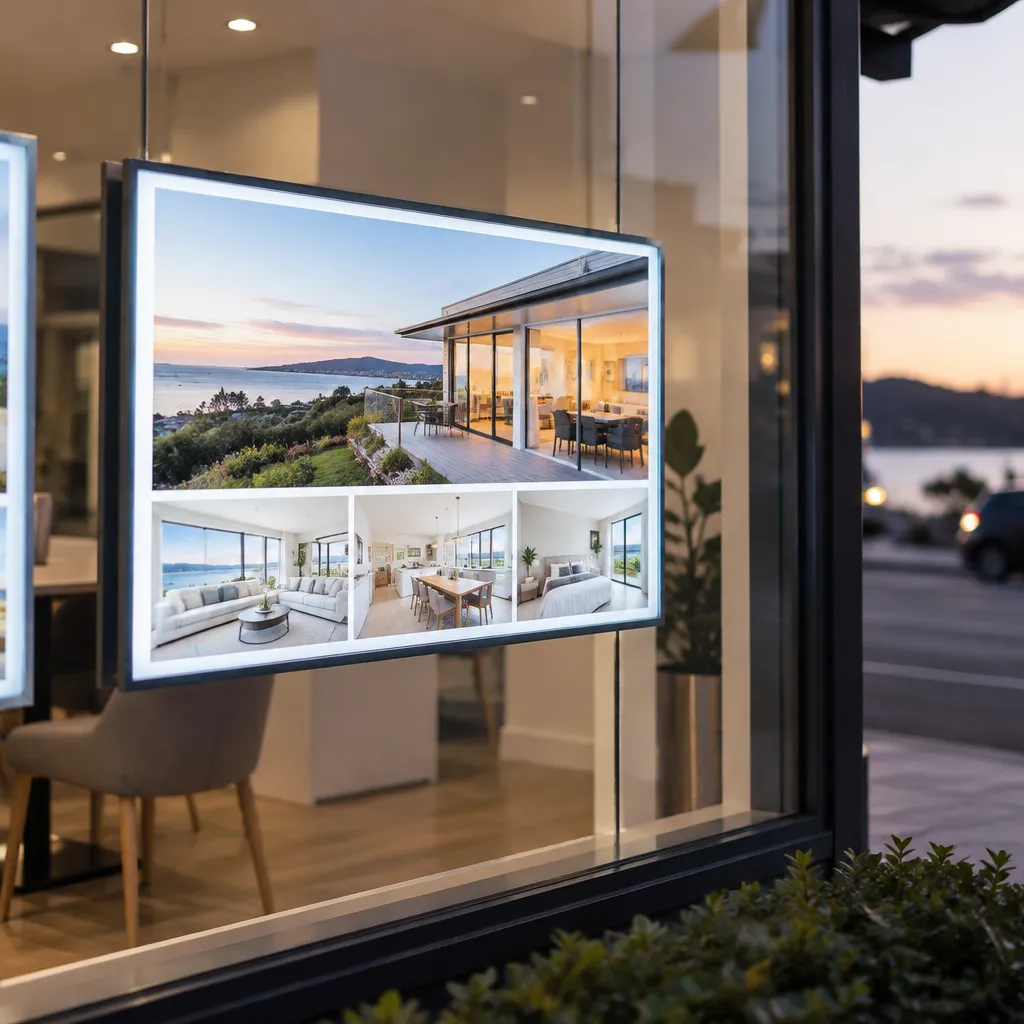
Half brightness is not dead
For a shopfront, half brightness matters a great deal. A backlit real estate display that looks crisp at 9 am can look washed out by mid-afternoon sun once it has dropped to half its original output. The rating therefore tells you when the screen would start to look tired, and that is usually a commercial problem long before it is a technical one.
In practice, this means you should ask a different question than “how many hours”. Ask how the display will look on a bright afternoon in year five, and what brightness it will need to hold that performance. Those answers tell you far more about the value of the unit than the rated hour count does.
Why the spec sheet is only a starting point
A spec sheet describes the diode under controlled conditions. A complete window unit also includes drivers, power supplies, a backlight structure, control electronics and a housing, and each of these ages at its own pace. Visual Led, a manufacturer that publishes a glossary on LED life expectancy, notes that its estimates are made on optimal conditions and that the harsher the use, the less you can expect the LEDs to last.
That is the right way to read every rating you are shown. Treat the figure as the best case, then work out what your own site, schedule and brightness settings do to it. A display in a café with a sunny frontage and 16 hours of trading each day is not the same product, in lifespan terms, as a display in a quiet office foyer.
Why Heat Is the Biggest Threat to a Window Display
If you remember one thing from this guide, make it this: heat is the main reason LED window displays age faster than their ratings suggest. Samsung identifies heat as the biggest contributor to diode degradation. Visual Led states that the higher the operating temperature, the greater the wear and the less you can expect an LED to last.
The reality is, your screen can often last significantly longer than 100,000 hours. We’ve had displays that have been up for 15-plus years with more than adequate brightness. Because the diode is actually only one factor in the lifespan of your LED display.
Kevin Izatt, a senior product manager in Samsung’s Display division, made this point in Samsung’s 2022 article on LED lifespan. His message is useful for buyers: the LED itself is only one part of the lifespan, and the environment around it decides how much of the rated life you actually use.
Ventilation and enclosure design
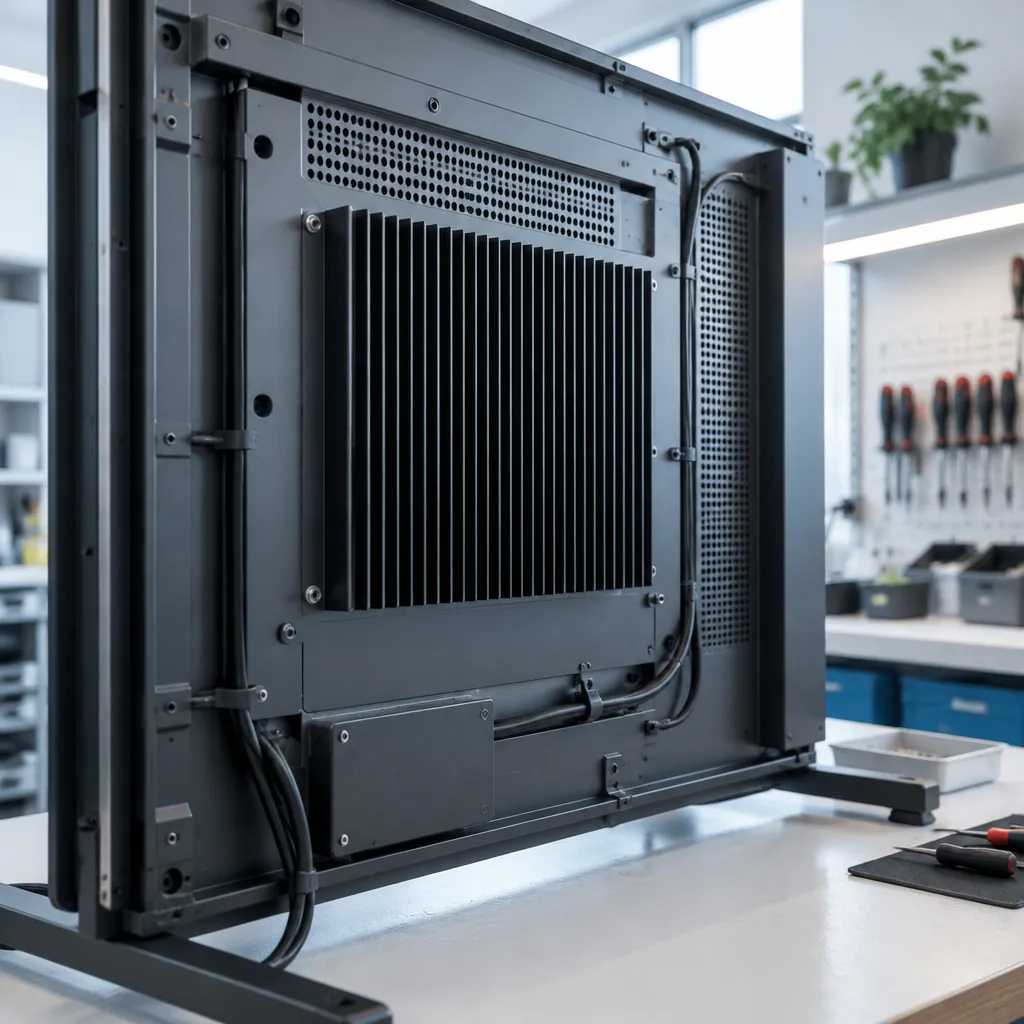
A common mistake is to fit a display into a tight recess with the vents blocked by a pelmet, blind box or shelf. The heat has nowhere to go, and the unit runs hotter with every hour it is switched on. Ask your supplier where warm air exits the cabinet and how much clearance it needs on each side, then check the installation against those figures before the glass goes in.
Pro tip: Ask for the operating temperature range in writing, then measure the air temperature inside the window cavity on a warm afternoon during the first week. If the cavity feels hot to touch, fix the airflow before you blame the LEDs.
Heat trapped behind glass
Glass concentrates sunlight, and a window that receives afternoon sun can build heat quickly inside a closed cavity. Dark surrounds, stacked product displays and stored stock behind the screen all add to the problem. Keep the rear of the unit clear, and avoid placing merchandise or paper stock in front of the vents, even temporarily.
Heat also builds up slowly over time, which makes it easy to miss. A display that performs well in its first month can still lose years of life if it has been running hot for three years. This is why a yearly check on the cavity temperature is worth more than a one-off inspection at installation.
Brightness Settings and Why Full Power Costs Years
Brightness is the other lever you control directly. Visual Led explains that most LEDs typically work at around 350mA, and that a higher current increases luminous efficiency but at the cost of life expectancy. Pushing a display to maximum output to win a brightness contest with the street is a trade that the shopfront pays for later.
This matters most for buyers who assume that brighter is always better. Brightness is useful up to the point where content is readable, and beyond that it simply adds heat and wear. The goal is to meet the readability target with the lowest output that does the job.
Matching brightness to the window
Set brightness to what the window actually needs, not the maximum the panel can produce. A sunlit street frontage needs more output than a display in a shaded arcade or a partly covered entrance, and there is no reason to run both at the same level by default. Walk the site at the time of day when the window gets the most light, and set the level from what you see.
Scheduled dimming for 24/7 running
A 24/7 display does not need to shine at full strength at 3 am. Always-on operation is a reasonable choice for an estate display that needs to work around the clock, but a schedule that drops output overnight reduces both heat load and time spent at high current. Remote content management over WiFi makes this a settings change rather than a site visit, which matters when the shopfront is only visited once a week.
Pro tip: Ask your provider whether brightness can be set by time of day from your content platform. If it can only be changed on site, put a brightness review into your maintenance calendar so it actually happens.
Sunlight, Shopfront Exposure and UV Protection
Shopfronts are harsh environments. A display faces direct sun, rain driven against the glass, dust, cleaning products and daily temperature swings that an indoor screen never sees. Sunlight is also the main reason buyers push brightness up in the first place, which feeds straight back into the heat problem covered earlier.
UV-protected screens for direct sun
Large-format LCD screens behind glass need protection against UV exposure, because prolonged UV can degrade surfaces and films over time. A UV-protected screen with sunlight-readable panels lets you keep brightness lower for the same readability on a bright day. That combination reduces the work the display has to do in the hours when the sun is strongest.
If your window faces a lot of sun, ask the supplier which surface treatments were used and how they perform after several years of exposure. A good answer names the protection and explains the testing behind it. A vague answer is a warning sign, because surface wear is one of the first things a window display shows after a few seasons.
Sealing, moisture and cleaning
Moisture is the quiet risk for window electronics. Condensation forms when a sealed cavity cools overnight, and if the housing is not properly sealed, moisture can reach the electronics. Cleaning matters too, because harsh solvents can damage coated glass and film. Ask how the unit is sealed and which cleaning products the maker recommends before the display goes into service.
Regular checks are the simplest protection. Look for fogging inside the glass, discoloured edges and uneven brightness across the panel, because these are early signs that moisture or heat is getting in. Catching them in the first few months is far cheaper than a board replacement later.
Comparing Window Display Types for Long Daily Running
Not every window display fails in the same way. The right choice depends on how much light the window needs, how the unit is mounted and how often the content changes. The table below compares three common approaches for shopfront use.
| Display type | Main lifespan risk | Best fit |
|---|---|---|
| LED backlit window display | Diode wear and heat build-up inside the cabinet, especially at high brightness | Shopfronts that need strong daytime visibility and 24/7 advertising |
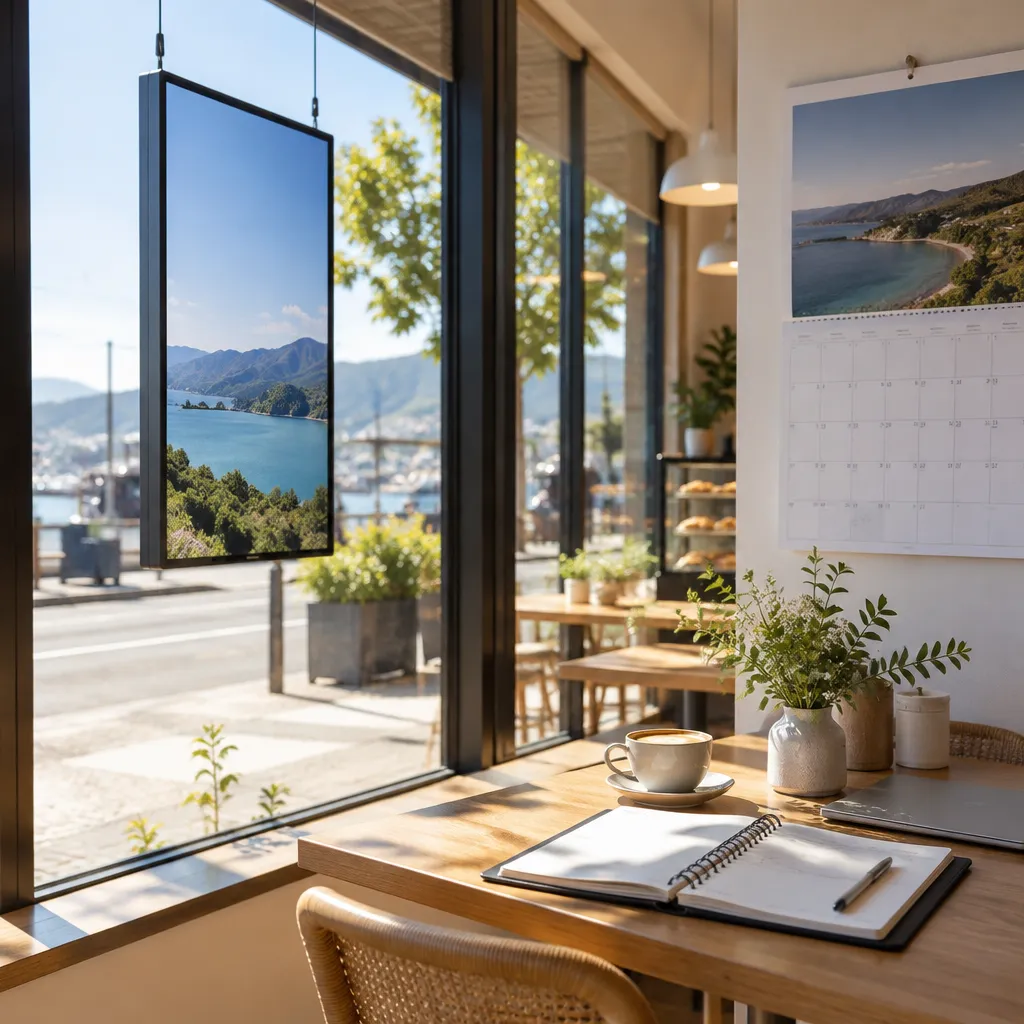
| Hanging cable LCD display | Heat from the screen and power supply in a fixed glass position, plus stress on cables and mounts | Cafés, restaurants and retailers that want a slim footprint behind glass |
| Large UV-protected LCD screen | Surface wear and UV exposure, with brightness settings that rise in direct sun | Real estate agencies and retailers that want larger content and frequent updates |
The comparison shows that no single type is the longest lasting in every setting. An LED backlit unit suits a bright frontage that needs output at all hours, but it rewards careful thermal design and modest brightness. A hanging LCD suits a tight space, but the mount and cable routing deserve as much attention as the screen itself.
In practice, the most common buying mistake is choosing on brightness and price alone, then running the display at full output in a hot cavity. Match the type to the window, then match the settings to the site.
Realistic Lifespan Planning for 24/7 Window Displays
Once you know the rated range, you can convert it into years for your own schedule. A display running 24 hours a day uses 8,760 hours a year, so a 100,000-hour rating works out to about 11.4 years, while the 80,000 to 120,000 hour range Visual Led quotes works out to roughly 9.1 to 13.7 years. These are ceiling figures for the diode under good conditions, so use them as a planning frame rather than a promise.
Working out annual running hours
Start with the hours your display will be powered on, not the hours your shop is open. A window display that runs 16 hours a day uses 5,840 hours a year, which stretches a 100,000-hour rating to about 17 years on paper. Dimming overnight can extend the real-world life further, because the hours at lower output add less heat and less wear.
Write the calculation down before you compare quotes. It makes it easy to see whether a supplier’s lifespan claim is based on the same schedule you plan to run, and whether the difference is a real engineering advantage or just a different assumption.
What a real estate office should expect
A real estate office usually wants a display that runs through business hours and into the evening, with listings that change often. The main risks are brightness creep, where the team keeps raising output to beat a bright window, and cavity heat from cabinet placement near a heat source. Plan a quarterly brightness check so that the display stays readable without being pushed harder than it needs to be.
What a café or retailer should expect
Cafés and restaurants often have windows that take direct afternoon sun, and retail shopfronts can face heavy foot traffic and cleaning routines. For these businesses, surface protection and sealing matter as much as the diode rating. If the display sits in a window that gets strong sun, factor in UV-protected surfaces and a schedule that dims the content after trading hours.
Maintenance and Replacement Planning
A window display should be treated like any other piece of commercial equipment, with a maintenance rhythm and a replacement plan. Most failures are not sudden. They show up as uneven brightness, colour shifts, fogging or a slow rise in cavity temperature, and each of these gives you time to act if someone is checking.
Set a simple quarterly check
A quarterly check needs only a few minutes. Look for brightness differences across the panel, fogging or moisture inside the glass, dust on vents, and any unusual warmth at the top of the cabinet. Record the readings so you can see drift over time, which is far more useful than a single snapshot.
Remote management helps here. If the content platform reports status and lets you adjust schedules from the office, you can catch problems before a customer or an agent notices them. The result is a display that stays readable for longer, rather than one that is quietly running at reduced performance.
Ask whether modules can be replaced
When a display begins to fail, the cost depends on whether a single module can be swapped or the whole unit has to go. Ask your supplier which parts are field-replaceable, how long spares are kept, and what the process looks like for a shopfront that cannot close for a week. A display built from replaceable modules gives you a repair path that a sealed single unit does not.
Pro tip: Keep a note of the serial number, install date and average brightness setting for each display. When you request a spare or a repair, that record shortens the conversation and helps the supplier diagnose the problem faster.
Plan the replacement window
Plan replacement before the display fails. If the screen is still readable but has lost its punch, a planned upgrade avoids the awkward gap of a dead window during a busy trading period. Time the change for a quiet season, and keep the old unit on hand until the new one has proven itself in the window.
Frequently Asked Questions
How long does an LED window display last in New Zealand?
Rated LED lifespans are commonly quoted between 80,000 and 120,000 hours, according to Visual Led. For a display running 24/7, that works out to roughly 9 to 14 years on paper, but heat, brightness and sunlight can shorten the real figure.
Does a 100,000 hour rating mean the screen goes dark after that?
No. Samsung explains that the rating indicates when a diode degrades to half brightness, not when it goes completely dark. A screen can still work after that point, but it may look too weak for a bright shopfront.
Will a 24/7 display wear out faster than one switched off at night?
It accumulates running hours faster, so the calendar lifespan will be shorter for the same rating. Scheduled dimming overnight can reduce heat and time at high current, which narrows the gap considerably.
What is the biggest factor that shortens a window display’s life?
Heat is the biggest factor. Samsung identifies heat as the main contributor to diode degradation, and Visual Led notes that higher operating temperatures increase wear. Ventilation and clearance inside the cavity matter as much as the LED itself.
Is the cheapest window display the best value?
Not usually. A low price can hide a poorly ventilated enclosure, weak surface protection or no replaceable modules, and those gaps cost more over the life of the display than a better-built unit does. Compare the thermal design, sealing and repair path alongside the purchase price.
Can a worn window display be repaired instead of replaced?
Often, yes, if the unit uses replaceable modules and the supplier stocks spares. A sealed single unit with no service path is more likely to need full replacement. Ask about repair options before you buy, not after a failure.
We would like to hear from you: how long has your window display lasted in practice, and which part gave out first?
References
- Samsung’s article on what really determines LED display lifespan
- Visual Led glossary on LED life expectancy and operating temperature