

Backlit Paper for Real Estate Signs: A Spring Guide for NZ
Walk past a real estate office in Auckland or Christchurch on a dark October evening and you will notice which windows still glow. Spring is the busiest stretch for listings, yet most agencies still stick flat printed sheets to the glass, and those sheets disappear once the street lights come on. Backlit paper for real estate signs solves that problem by placing a translucent print in front of a light source, so the listing photo keeps its colour and the price stays readable from across the road. This guide covers how to choose the right paper, how to design prints that survive backlighting, and how to roll out a spring campaign across several branches without wasting stock.
Table of Contents
- Quick Takeaways
- Why Backlit Paper Outperforms Flat Prints
- Choosing the Right Backlit Paper
- Designing Listing Prints That Glow
- Comparing Your Window Display Options
- Bulk Ordering for Multi-Branch Campaigns
- Sun, Weather and Replacement Cycles
- Mixing Paper With Digital Screens
- Frequently Asked Questions
- References
Quick Takeaways
| Key Insight | Explanation |
|---|---|
| Use translucent backlit paper for photo-led listing sheets | Flat paper goes dark after sunset, while a light source behind translucent stock keeps the listing photo readable from the footpath. |
| Expose photos for the light, not for your screen | Dark areas wash out under backlight, so lift shadows in the edit and avoid pure black backgrounds. |
| Keep each listing sheet to one photo and three facts | Passers-by give a sheet a few seconds. Price, bedrooms and open home time should be readable at a glance. |
| Order in bulk for the whole campaign, not listing by listing | One standard size and one template across branches cut waste and keep the brand consistent. |
| Replace prints before UV and moisture wear them down | Tie the replacement date to the listing change and refresh the whole window at least once during the season. |
| Use digital screens for content that changes daily | Remote content management suits open home schedules and sold banners that need updating mid-week. |
Why Backlit Paper Outperforms Flat Prints
A flat printed sheet on a shopfront window does its job in daylight, then fails at the moment most buyers are browsing property sites at night. Once the sun drops, the sheet becomes a grey rectangle unless something lights it from behind. Backlit paper for real estate signs changes that by putting a translucent print in front of an LED panel, so the photo keeps its colour and the detail survives the dark.
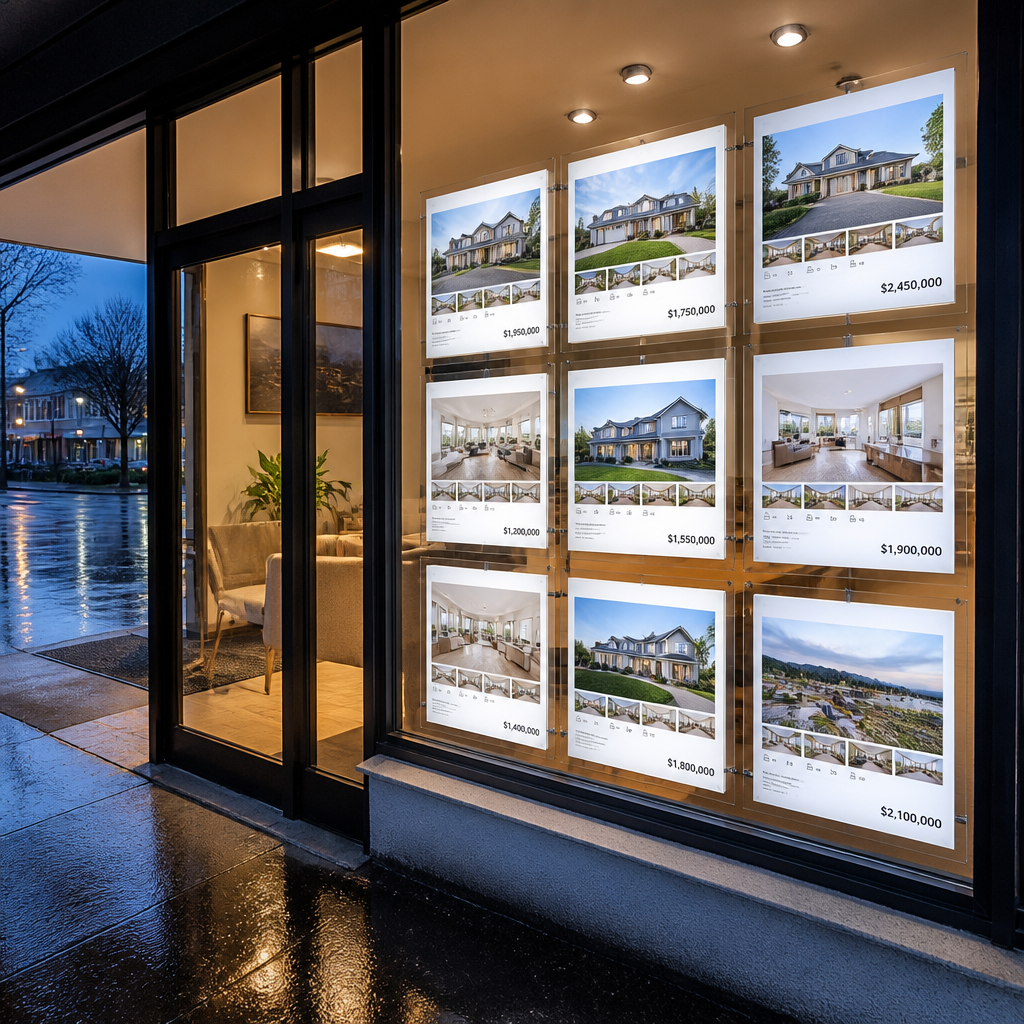
The difference shows up in how people react. A passer-by who sees a bright, evenly lit photo of a kitchen will slow down to read the sheet. The same content on regular paper under a streetlight usually earns a glance and nothing more. The window keeps working for as long as the panel is on, which in a busy suburban strip can mean well past closing time.
Backlit paper also suits how agencies actually operate. Listings change every week. Price reductions, sold stickers and open home times all need replacing, and an A3 or A4 sheet can be swapped in minutes without calling a sign installer. That low cost of change is why a window can be treated as a weekly marketing asset rather than a fixed sign.
A window display only earns attention once the light goes down. Design the print for the dark, and the daylight version takes care of itself.
The trade-off is that backlit paper is not a set-and-forget product. Translucent stock needs a panel built for it, and the artwork has to be designed for light passing through the sheet rather than light bouncing off it. Skip either step and you get a dull sheet that looks worse than a plain poster.
Pro tip: Before you order a full run, hold a sample sheet against your existing panel at night. If the photo looks flat from two metres away, the problem is the design or the light source, not the paper.
Choosing the Right Backlit Paper
Choosing paper comes down to three questions: how much light your panel gives out, how the sheet will be handled, and how long it needs to look right. Get one of these wrong and the sheet either glows too weakly or turns into faded mush before the campaign ends. Most of the decisions can be tested in an afternoon with a few samples.
Translucency and light diffusion
Translucency controls how evenly the light passes through the sheet. A stock that is too opaque keeps the panel dark and the image dull. A stock that is too thin lets LED hot spots show through, and the bright centre drowns out the edges. Test with the actual panel you own, because a paper that looks right on the bench can behave differently behind a deeper light box.
In practice, two or three stocks held up to the glass at night will tell you more than any spec sheet. Compare them side by side with the same photo, and check the shadow areas first, since those reveal weak diffusion fastest.
A3 versus A4 for listing windows
A4 suits a single listing sheet on a narrow pane, a door panel or a secondary window, where the reader is close enough to read small type. A3 works better on a main window because the photo has room for a headline, a second image and a price block. Mixing sizes in one window often looks cluttered, so pick one size per window and keep the same grid across every branch.
Ink compatibility and fibre content
Backlit paper has to suit your printer and ink. Confirm that the coating is compatible with the ink you run, and ask your supplier for expected outdoor life in writing. Industry guides on backlit signage describe fibre-based, recycled-content substrates as capable of the performance signage needs while reducing reliance on petroleum-based plastics. That is a good starting point, but always test colour on the actual media rather than trusting how the sample looked on screen.
Designing Listing Prints That Glow
Design for backlight from the first draft. Most listing sheets are built for paper on a wall, with pale backgrounds and thin type that works fine under daylight. Backlit viewing reverses the logic, because the light carries the image and anything dark risks disappearing into the glass.
Exposure for backlit viewing
Dark tones are the biggest problem. Under backlight, blacks and deep shadows can look washed out and take on a greenish cast, which is why a dark interior photo often looks worse in a window than the same shot does in daylight. Lift shadows in your edit, avoid pure black backgrounds, and judge the result on the panel rather than on your monitor.
A useful check is to print the photo at actual size and hold it against the light before committing to a run. If the kitchen cabinets turn into a single dark block, the exposure needs another pass.
Contrast that works from the footpath
Contrast needs to work at two levels. Tonal contrast, the gap between light and dark areas, makes the subject stand out. Colour contrast helps too, but a backlit signage guide points out that about 15% of people are blind to at least one colour. Do not rely on colour alone to separate the price from the background. Use heavy weight for the price and a clear shape or border around the key figures.
Negative space and the three-fact rule
Passers-by give a listing sheet a few seconds. Keep it to one dominant photo and three facts: the price or price guide, bedrooms and bathrooms, and the open home time or contact method. Leave clear space around each element. Strong lines and bold type carry further through glass than fine serif text, and clutter reads as grey once light is behind it.
Comparing Your Window Display Options
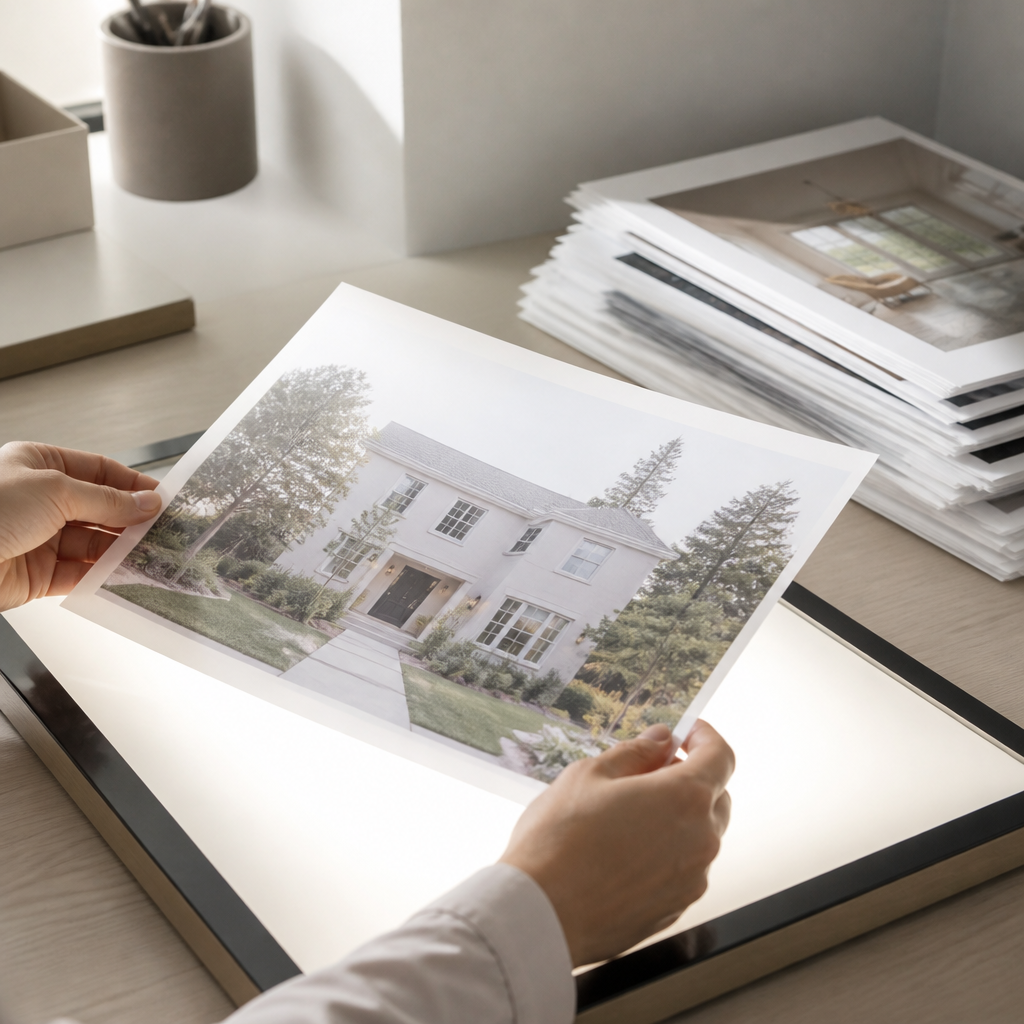
Backlit paper is not the only way to make a window work after dark. Agencies usually choose between three approaches, and the right one depends on how often the content changes and how much control you need over it. The table below compares the three options most commonly considered for New Zealand shopfronts.
| Option | Best for | Main trade-off |
|---|---|---|
| Backlit paper in a light panel | Weekly listing sheets with strong still photos | Needs a suitable panel, and every change means a reprint |
| Standard printed poster behind glass | Short, low-cost messages for a few weeks | No glow after dark, and the print fades in direct sun |
| LED backlit or LCD display | Rotating listings, video and open home schedules | Higher upfront cost, plus power and content management |
Paper wins on cost per change and on the strength of a single still image. Screens win when you need motion, scheduling or updates made from a desk across town. A standard poster can carry a short campaign, but it rarely earns its keep across a full spring season.
Our own digital displays suit the third category. Remote content management over WiFi lets you update a window without visiting the shopfront, and CRM and CMS integration is included in our software subscriptions. For most agencies the practical answer is a combination, which the final section of this guide covers.
Bulk Ordering for Multi-Branch Campaigns
A spring campaign across several offices goes wrong when every branch orders its own sheets, in its own size, on its own schedule. Bulk ordering fixes most of that, but only if the specifications are agreed before the first run goes to print.
Standardising sizes and file specifications
Set one size, one colour profile and one template for the whole group. Provide a locked template with safe zones, so the price and agent photo stay clear of the edges, where light falls off and trimming can shift the image. A shared template also means head office can update a price and push the file to every branch in the same week.
Ordering cadence for spring
Spring listings arrive in a rush between September and November, so place a base order before the first wave goes live, then top up in smaller batches. Keep a reserve for sold stickers and price-change replacements, so windows stay current without emergency reprints. Late-season stock can run short, so check lead times now rather than on the day a window goes dark.
Tracking stock by listing
Keep a simple log that links each print to a listing ID, the print date and the removal date. It stops old prices staying in windows, and it shows which photos drew attention from the footpath. Over a season, that record tells you which listing styles work in which suburbs, which is far more useful than a general sense of what looked good.
Pro tip: Ask for a proof printed on the exact stock you will use, not a screen preview. Colour on backlit media shifts noticeably once the light is behind it, and a proof is the only reliable check.
Sun, Weather and Replacement Cycles
Light is the reason you buy backlit paper, and light is also what wears it down. UV exposure, heat from the panel and moisture at the edges all shorten the working life of a print, and the damage often shows up late in a campaign when nobody is checking.
Direct sun and fading
A window that takes afternoon sun will age a print faster than one on the shaded side of a street. Colours lose depth first, and white areas can take on a yellow cast. Where a window gets hours of direct sun, fit a UV-filtering film or choose a UV-protected display. Watch for prints that look fine in the morning but have lost their punch by late afternoon.
Humidity, edges and panel heat
Condensation on the inside of a cold pane can lift the edges of a sheet and cause ripples. Where your panel design allows, leave a small gap between the paper and the glass, and make sure the light source does not run hot enough to curl the stock. Check the edges during the first week, since that is when problems usually appear.
Setting a replacement date
Set the replacement date when you print, not when the print starts to look bad. For most listings, that means swapping the sheet when the listing changes, and refreshing the whole window at least once during the spring season. Write the date on the back of the print or in your log, so the decision is made in advance.
Pro tip: Clean the panel surface and the inside of the glass before every new print goes in. Dust and fingerprints show up brightly under backlight and can make a fresh sheet look old.
Mixing Paper With Digital Screens
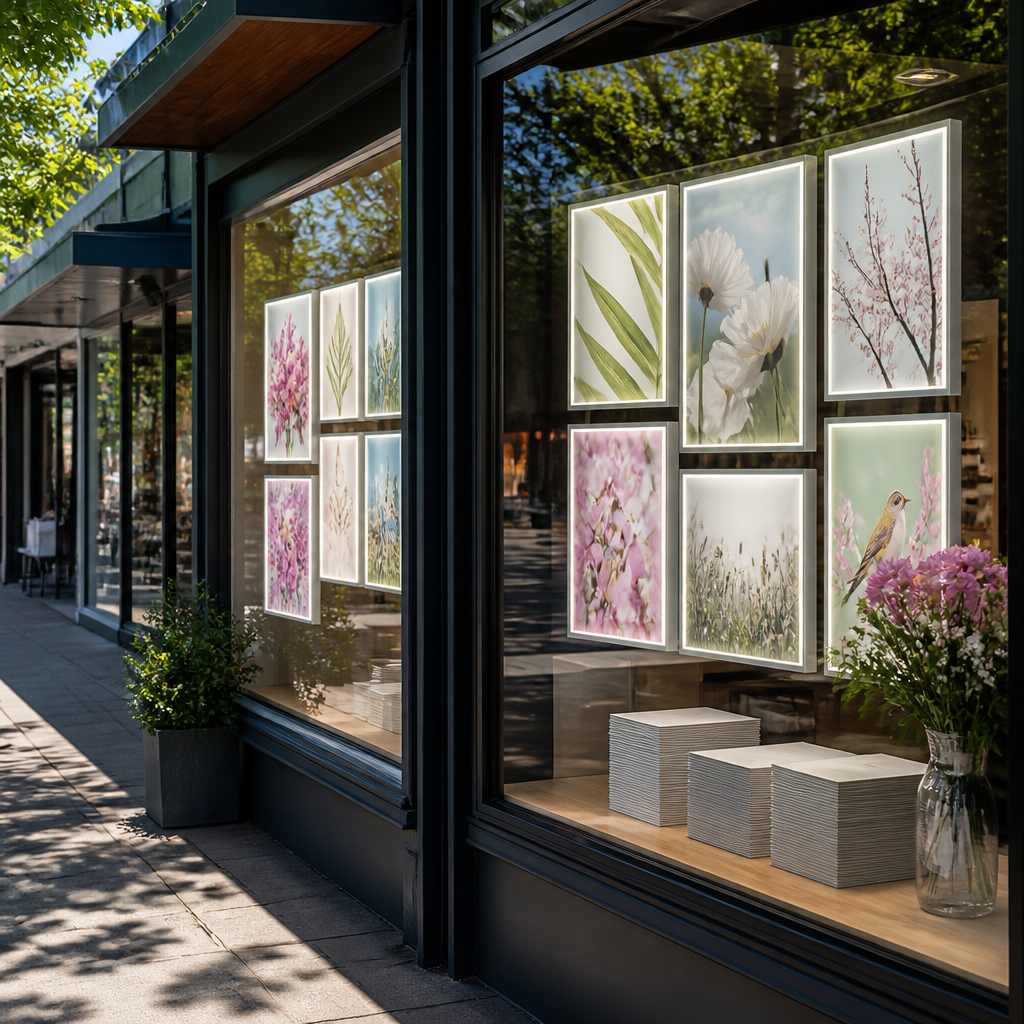
The strongest windows combine a fixed backlit sheet with a digital element, but only where each one does a job the other cannot. Putting a screen in the window does not replace the need for a clear listing sheet, and a sheet cannot show a walkthrough video.
Where paper still wins
Paper is the best choice for the hero image of a listing. It is inexpensive to produce, easy to replace, and a good backlit stock delivers a sharp still photo that a screen cannot match for a single frame. It also suits the agent’s personal brand, since the same sheet can carry a headshot and contact details without any software involved.
Where a screen earns its place
A screen earns its place when content changes by the day or the hour. Open home times, sold banners that rotate to a new listing, and short video walkthroughs all benefit from a display that updates remotely. Android-based scheduling can run different content at different times of day, so a Saturday morning open home does not sit in the window until Monday.
Running both in one window
Place the paper at eye level and the screen above or beside it, so the reader sees the static sheet first and the moving content second. Keep the colour palette consistent across both, so the window reads as one campaign rather than two competing signs. Avoid placing a bright screen directly beside a backlit sheet, because the two light sources can compete and wash out the paper.
Frequently Asked Questions
How long does backlit paper last in a shopfront window?
Life depends on UV exposure, panel heat and how the print was stored before use. A sheet in a shaded window with a cool panel can hold up for a full listing cycle, while one in direct afternoon sun can show visible fading well before a campaign ends. Plan the replacement on each listing change, and do a full window refresh part-way through the season.
Can I print backlit paper on a standard office printer?
You can, but only with paper rated for backlit use and an ink suited to the substrate. Standard office paper goes dull and patchy once light passes through it. Run a test sheet on your panel before committing to a batch.
Is A3 or A4 better for a real estate window?
A3 suits a main window where a passer-by can take in a photo plus two or three facts. A4 suits narrow panes, door glass and secondary windows. Use one size per window and keep the same grid across branches so the campaign looks consistent.
Do I need a light panel for backlit listing sheets?
Yes, if you want consistent results. Backlit paper needs even light behind it, and a printed sheet with no light source will look dull after dark. The panel should be sized for the paper and mounted so the glow is even across the whole sheet.
How do I keep sold and price-change prints current?
Log each print against a listing ID and set a removal date when you print it. Keep a small reserve of stock, so replacements can happen the same day rather than leaving an old price up for another week.
Should I choose paper or a digital screen for spring listings?
Use paper for the hero image of each listing, and a digital screen where content changes daily or needs video. Many shopfronts benefit from both, but the paper should carry the message a passer-by reads first.
Tell us what has worked, or failed, in your own listing windows this spring, because the most useful tips usually come from the people standing in front of the glass at night.
We would love your feedback and any insights you would share with others. What perspective would you add?