

Retail Window Display NZ: Turn December Browsers Into Buyers
Many December shoppers decide whether to walk into a shop in the few seconds it takes to pass the window. A dark, dated or static display makes that decision for them. Retail window display NZ strategy is no longer about decoration alone. It depends on hardware that stays bright, changes content and tells a clear story after dark. This guide covers how to choose window display hardware, set it up for daytime glare and evening traffic, and plan content so passers-by step inside before the Christmas peak.
Table of Contents
- Quick Takeaways
- Why December Window Traffic Matters
- Choosing Window Display Hardware
- Brightness and Glare on the Shopfront
- Content That Stops Passers-By
- Scheduling and Remote Management
- Turning a Glance Into a Visit
- Budgeting for December Window Hardware
- Frequently Asked Questions
- References
Quick Takeaways
| Key Insight | Explanation |
|---|---|
| Check brightness before screen size | A screen that cannot be read in afternoon sun wastes its December budget. Ask suppliers for brightness, optical performance and heat management details first. |
| Give each window one job | Decide the single action you want from a passer-by, such as entering for a gift offer, then build the content around it. |
| Match the screen to the frontage | Large LCD screens from 49 to 86 inches suit wide glass. Hanging cable LCD screens from 21 to 32 inches suit narrow or deep windows. |
| Show one offer per screen | A loop of six messages is read by almost nobody. One headline, one product and one call to action per frame gets read in a glance. |
| Schedule by hour and day | Run lunchtime offers on weekdays and browsing-style gift content on weekends, based on your own footfall pattern. |
| Keep a blank slot in your calendar | Reserve space for last-minute stock changes so a sold-out offer never keeps running in the window. |
| Budget for content, not just hardware | A screen that is never updated becomes wallpaper. Plan who writes and approves the December content before the screen goes live. |
Why December Window Traffic Matters
December is when many New Zealand shoppers browse on foot, and the window is often the first thing they assess. One visual merchandising guide describes the November and December period as window shopping season, when brands work hardest to pull people off the street. Another notes that for most retailers the last quarter is crucial, and that a strong window can drive foot traffic and impulse buying.
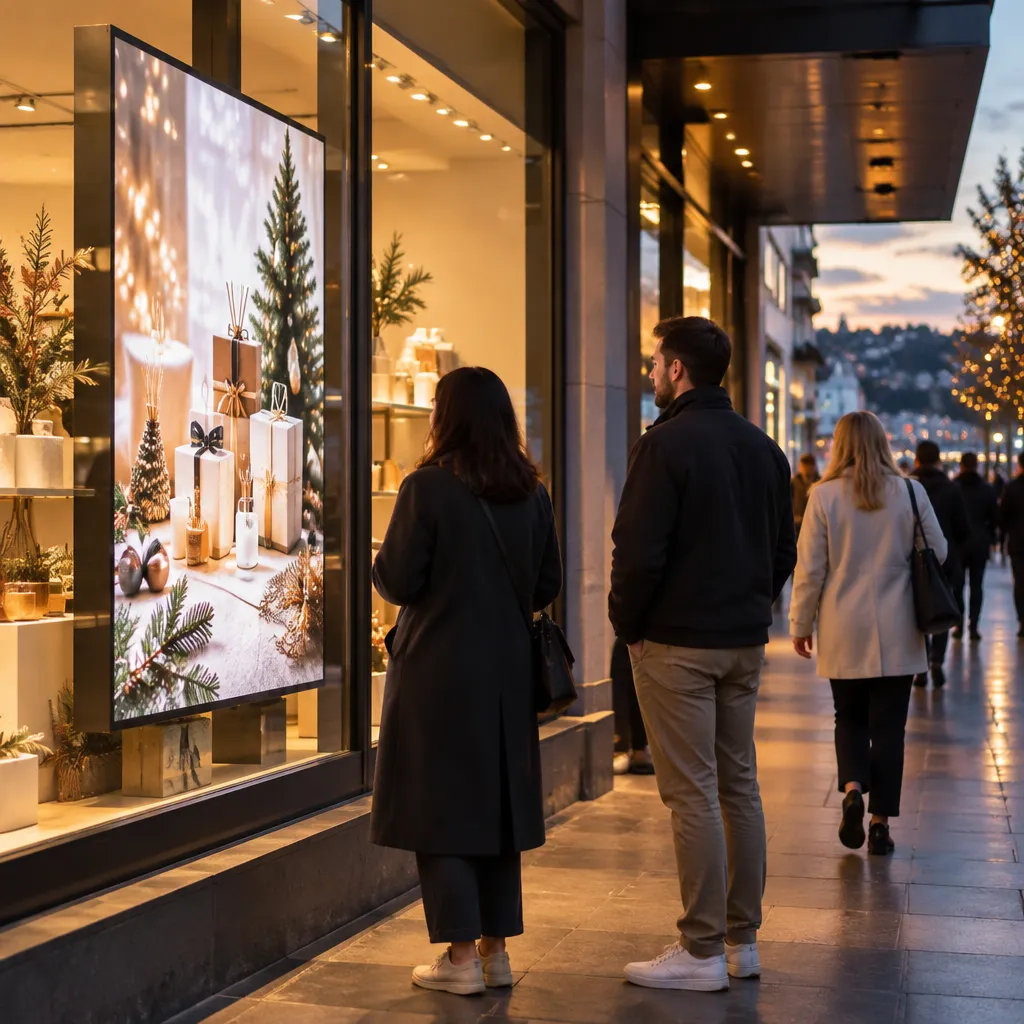
The problem is time. The same visual merchandising guide asks how long a customer spends passing a window and suggests it is often only a few seconds. A window has to communicate a product, a reason and a point of entry in that moment. Most windows fail not because the stock is wrong, but because the message is buried under clutter or the screen is too dim to notice from across the footpath.
In practice, a December window has three jobs. It has to stop the browser, name a specific reason to come in, and still work when the shop lights are competing with the streetlights. Static printed posters usually struggle with the third job, which is why many shops move to backlit or LCD displays. If you change your window only twice a year, you miss the seasonal spikes that matter most.
A window that needs a paragraph of explanation has already lost the passer-by. Design for one glance, one message and one action.
Gift shopping is the obvious case, but the principle applies to other sectors too. Cafés and restaurants can use the window to fill tables during quieter lunch and early evening periods, and real estate agencies rely on the window to showcase listings to people walking past. Our guide to Christmas window display ideas for NZ retail covers the seasonal angle in more depth.
Choosing Window Display Hardware
Hardware choice starts with the glass, not the product catalogue. Measure the window width, the distance from the footpath to the glass, and how much direct sun hits the window in the afternoon. A narrow frontage on a busy street needs a different solution from a wide glass front on a quieter road. The three options below cover most shopfronts we see in practice.
Large LCD displays for wide glass
Large LCD displays come in 49, 55, 65, 75 and 86 inch sizes, in portrait or landscape orientation. They suit wide glass where a product loop or a multi-message promotion needs room to work. Pricing is on request through the Get a Quote button, because the right size depends on your glass and mounting.
Hanging cable LCD displays for narrow frontages
Hanging cable LCD displays range from 21 to 32 inches and can be set up in several hanging configurations. They work where floor or wall space is tight, such as a café with a narrow frontage, a boutique with a deep window, or an agency with a single glass panel. The screen sits within the glass rather than competing with fixtures.
LED backlit displays for round-the-clock visibility
LED backlit real estate displays are designed for 24/7 advertising with a 7 to 10 year life expectancy. You print the content on your own A3 or A4 printer, which keeps artwork changes in your hands. They suit agencies and retailers that want a steady glow after dark without a moving screen.
Each option trades off something. The table below compares three common choices for a December window.
| Option | Best fit | Main trade-off |
|---|---|---|
| Backlit printed paper (A3 at $165.00 plus GST per box, A4 at $110.00 plus GST per box, postage $35 per box) | Low-cost seasonal offers and frequent swaps | Changes are manual and there is no scheduling |
| Hanging cable LCD display (21 to 32 inches) | Narrow frontages, cafés and deep windows | Smaller screen, so less room for a long loop |
| Large LCD display (49 to 86 inches) | Wide glass and multi-product promotions | Needs more planning for mounting, with pricing on request |
A common mistake is buying the biggest screen the budget allows and then struggling to fill it with content. Choose the format that matches the job, then plan the content capacity.
Pro tip: Stand on the footpath at the distance a shopper would walk past and check whether the headline and price are readable from there before you choose a screen size.
Brightness and Glare on the Shopfront
Brightness is the spec most retailers underestimate. A screen that looks fine indoors can wash out under afternoon sun, and a dim display beside a bright interior loses the contest for attention. One published guide to window display screens lists high brightness, suitable optical performance and effective heat management as the main selection criteria, and those are the three points to raise with any supplier.
Test at midday and after dark
Check the display at both ends of the day. Midday shows whether the content survives direct light. Dusk and night show whether the screen overpowers the street or disappears into it. A simple test is to photograph the window from across the footpath with a phone and see whether the headline reads in the image.
Sunlight-readable screens and what to ask for
Ask whether the screen is sunlight-readable and what brightness it is rated for before you discuss size. V Media builds large-format UV-protected LCD screens for shopfront windows, so if your glass faces the afternoon sun, ask specifically about UV protection. Also ask how the unit handles heat, because a display in a sealed window may lose performance on the warmest days, which are often the busiest trading days in December.
Sightlines and mounting height
Mount the screen where a café customer seated at a table, or a walker on the footpath, can see it without craning. A screen placed high on a deep window often reads as part of the wall. Keep the text large, keep the lower third clear, and avoid reflective window film that cuts into the brightness you paid for.
Content That Stops Passers-By
Hardware earns attention, but content earns the entry. Leap’s visual merchandising guide argues that the products in the window should be the hero pieces, the high-demand items that draw customers in. Lead with your best seller, then support it with a reason to buy this week rather than a general festive message.
Sharp’s guidance on dynamic digital signage starts with the customer’s needs and then considers where the screens and surfaces sit. That order matters. Before you build a loop, write down the three questions a passer-by has about your shop: what you sell, why it matters now, and how to get inside.

One message per screen
A loop of six messages fails because nobody reads six messages while walking past. Give each screen one headline, one product or offer and one call to action. If you have three offers, run them as three separate frames, each held long enough to read comfortably.
Show the product, the price and the reason to enter
Shoppers slow down for offers they can understand immediately. If a gift set is on promotion, show the set, the price and the closing date. Avoid tiny disclaimers, and do not rely on the word sale alone. Our guide to window display copywriting in NZ explains how to write headlines that land in a single glance.
Scheduling and Remote Management
Once a screen is installed, the real work is keeping it current. Videri’s practical list for digital displays includes time and day targeting and a content calendar, and both matter more in December than at any other time of year. A weekday lunchtime crowd wants a fast offer, while a Saturday shopper is more likely to browse a gift guide.
Time of day and day of week rotation
Set different loops for morning, lunchtime and evening, and for weekdays against weekends. A café might promote a lunch special before 11am and an evening event after 4pm. A retailer might run gift guides on weekends and stock updates midweek. Base the plan on your own footfall, which you can read from till data or a simple tally across a normal week.
Updating from the office without a site visit
Remote content management over WiFi means you can change a December offer from your desk when stock moves, rather than sending someone to the shop. Android-based scheduling and automation handle the timing, so the right message runs at the right hour without anyone standing beside the screen. Software subscriptions also include complimentary full custom integration to your CMS, so content you already manage can flow to the screen rather than being retyped.
Pro tip: Build a two-week content calendar before the first week of December and keep one slot blank for a stock update or a late promotion. Blank slots stop an old offer from running after it has sold out.
Our window display content calendar guide walks through a summer-to-Christmas plan you can adapt to your own trading pattern.
Turning a Glance Into a Visit
A window earns attention, but the visit depends on what happens in the first few steps inside. Leap’s guide makes the point that window and store displays only matter if they convert passers-by into customers. The window should lead somewhere clear rather than end at the glass.
Make the next step obvious
Place the matching product near the door, at a height where it is easy to pick up, and make sure staff are ready to greet someone who has just seen the screen. A shopper who saw a gift offer on the display should find that gift within a few steps. If the window promises something the shelf does not show, you have lost the visit.
Measure what the window actually did
Track one simple number for each change, such as gift sales in the week after a new loop, or enquiries after a new listing goes up. Compare the same period in the previous year if you have the data. You will learn quickly which messages pull people through the door and which only look good in a photo.
The window that sells is the one that makes the next step obvious. Everything after the glance has to match what the screen promised.
Budgeting for December Window Hardware
Budget for three things: the screen or the paper, the content and the management. Hardware is a one-time cost, but a display that never changes stops working as a sales tool. The software subscription includes complimentary full custom integration to your CMS, which keeps the ongoing cost focused on content.
For backlit printed paper, the listed prices are $165.00 plus GST for a box of 100 A3 sheets at 165gsm and $110.00 plus GST for a box of 100 A4 sheets at 165gsm. Postage is $35 per box. For bulk paper orders above four boxes, email admin@vmedia.co.nz for cheaper postage costs.
Large LCD displays, hanging cable LCD displays and LED backlit real estate displays are quoted on request, because size, mounting and configuration all change the price. Start the conversation with the Get a Quote button on the site. You can also call +64 204 880 099 during business hours, Monday to Friday, 9:00am to 4:00pm.
Pro tip: Send your quote request with window measurements, the wall or fixing type and a note of which side of the building gets afternoon sun. A quote built on accurate details avoids a second round of revisions in the busiest trading weeks.
Frequently Asked Questions
Which window display hardware works best for a small NZ retail shop?
For most small shops, a hanging cable LCD display in the 21 to 32 inch range is the most practical starting point, because it suits limited glass and can be set up in several configurations. If the budget is tight, backlit printed paper in A3 or A4 is a lower-cost way to test a December offer before you commit to a screen.
How bright does a shopfront screen need to be?
It needs to stay readable in the brightest part of the day, particularly on the side of the building that faces the sun. Ask suppliers for the brightness rating, then test the screen with a phone camera at midday and again after dark before you sign off.
Can I change December content without visiting the store?
Yes, provided the screen supports remote content management over WiFi and scheduling. You can update offers, adjust loop timing and swap stock messages from your desk, as long as the screen stays connected to the network.
Do I need a large LCD if my window is small?
Usually not. A 49 inch screen can overwhelm a narrow frontage, while a hanging cable display gives you a focused message without taking over the glass. Measure the window and the viewing distance from the footpath before you choose a size.
How much does window display hardware cost in New Zealand?
Backlit paper is listed at $165.00 plus GST per box of 100 A3 sheets and $110.00 plus GST per box of 100 A4 sheets, with postage at $35 per box. Large LCD displays, hanging cable LCD displays and LED backlit real estate displays are priced on request through the Get a Quote button, because size and mounting change the cost.
Which December window change has pulled the most customers through your door, and what would you test differently this season? Share your experience with us at admin@vmedia.co.nz.
References
- Christmas window display ideas and tips for retail stores
- Guide to holiday window displays and visual merchandising
- Best practices for dynamic content on retail digital signage
- Guide to window display screens for retail advertising
- Seven best practices for marketing on digital displays