

Boutique Retail Signage NZ: Compete With Big-Box Stores
A boutique shop on a busy street in Auckland or Dunedin rarely has the budget of a big-box chain, but it does own the one thing those chains cannot buy: a frontage that local customers walk past every day. Most independents still treat that frontage as an afterthought, with a printed poster taped to the glass that goes stale within a week. Effective boutique retail signage NZ shops are now using works differently. It changes with the time of day, the season and the stock on the shelf. This guide explains how small retailers can use shopfront display technology to compete on speed, local relevance and visibility without copying the playbook of a national chain.
Table of Contents
- Quick Takeaways
- Where Big-Box Stores Actually Win
- Your Window Is Your Cheapest Media Channel
- Choosing the Right Display for a Small Floor Plan
- Content That Changes Faster Than Your Stock
- Connecting Window Screens to Your Customer Records
- Comparing Three Approaches to Window Media
- Estate Displays for Local Property Agencies
- Frequently Asked Questions
- References
Quick Takeaways
| Key Insight | Explanation |
|---|---|
| Your window is your daily ad slot | Big-box stores buy media in bulk and plan it months ahead. Your glass already sits on the street, so use it for offers that change weekly. |
| Choose hardware by floor space | Hanging cable LCD displays suit narrow frontages. Large LCD screens suit deeper windows where passers-by stop long enough to read a product list. |
| Plan for daylight from day one | Sunlight-readable screens and UV-protected panels keep content visible in a window that takes direct afternoon sun, and protect the screen itself. |
| Schedule content by hour | Run a breakfast playlist, a lunch playlist and an after-hours banner on the same screen. Android-based scheduling lets you set this once and review it weekly. |
| Update from the back office | Remote content management over WiFi means the person who knows the stock can change the window in minutes, without waiting for a technician. |
| Tie screens to your customer records | CRM and CMS integration keeps window promotions aligned with the offers you send by email, so the shop and the screen say the same thing. |
| Keep print for the detail | Premium backlit printing paper in A3 and A4 carries product specifics, while the screen carries the headline that stops the walk. |
Where Big-Box Stores Actually Win
Big-box stores win on price architecture, range depth and car parking. They buy media at volume, run national promotions and staff their floors with people whose job is to restock shelves. None of that helps a boutique that wants a passer-by to stop, read one line and walk through the door.
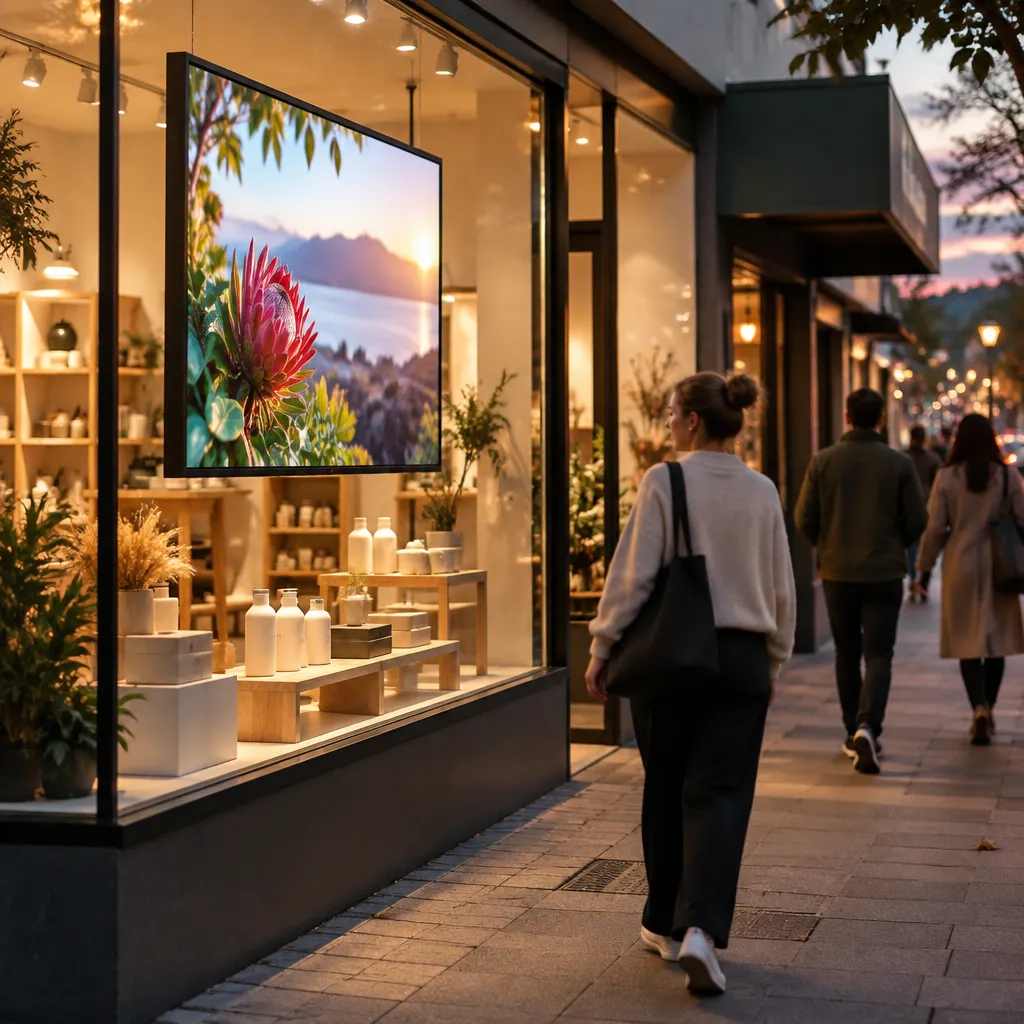
The gap is in the window. A big-box frontage often faces a car park or a service road, and its message is shared with dozens of other brands. A boutique frontage sits on a pedestrian street, and its message can be specific: three new knitwear lines this week, a Thursday late opening, or bookings now open for the spring tasting.
Speed of change
A chain approves a campaign months ahead, and the window often reflects that lag. A shop owner can change a screen between two customers. That speed is the first real advantage, but it only works if the content system is simple enough to use on a quiet Tuesday afternoon.
Local relevance
Local relevance is where boutiques earn their margin. A cafe in Hamilton can promote a winter soup before the lunch rush. A property agency in Tauranga can show the open homes running that weekend. National chains rarely get this narrow, and they should not need to.
A window that changes twice a year is decoration, not advertising.
Pro tip: Walk your street at the time of day your customers arrive and photograph what they see first. That view is your real competition, and it is the one you should design for.
Your Window Is Your Cheapest Media Channel
Printed media gets expensive quickly. You pay for each print run, each reprint and each visit to swap the poster, and you rarely know how many people actually looked at it. A window display runs every hour the shop is lit. Once it is installed, the main recurring cost is the content your team produces.
Why glass outperforms a flyer
A flyer ends up in a bag or a bin. A poster fades behind a corner of the glass. A screen in a window is the first thing a customer sees when they pause, and in our experience it is often the thing people photograph and send to a friend. The screen earns attention because it moves, and movement is what a passing shopper’s eye catches.
A general retail digital signage overview we reviewed makes a similar point: digital screens tend to cost less to run than printed material once reprints and updates are counted. That is the economic case in one line. The practical case is that you can fix a typo in a headline at 9am and have it corrected on the glass before the first customer arrives.
Sunlight-readable screens for daytime trade
The daytime problem is the one most buyers ignore. A screen that looks crisp in a showroom can wash out under midday sun on a shopfront. Sunlight-readable displays and high-brightness LED backlit units are built for this, and they matter most for a window that takes direct afternoon light.
Pro tip: Test any screen at 2pm on a clear day, not at 8pm when the installer finishes. If the headline is hard to read at the time your customers walk past, the window is not working.
Choosing the Right Display for a Small Floor Plan
Most boutique windows are narrower and shallower than the photos on a supplier’s website. Choosing hardware comes down to matching the screen to the depth of the glass and the distance a pedestrian stands from it. Get that wrong and the screen either looks like a billboard stuck to the shop or disappears behind the stock.
Hanging cable LCD displays for narrow frontages
A hanging cable LCD suspends the screen inside the window, which helps when shelf depth is limited. It keeps the display off the floor and out of the merchandise line. Use one for a single headline that a passer-by can read in about two seconds.
Large LCD screens for deeper windows
Large LCD screens suit windows where people stop for longer, such as a gallery, a furniture showroom or a bakery with a counter visible from the footpath. Give these screens more to say: product photos, a short price list and a QR code that links to the online range.
Backlit paper for tight budgets
Premium backlit printing paper in A3 and A4 is a practical option when a full screen is not justified. It works for a changing product card, a seasonal menu or a property listing sheet. The trade-off is that you change it by hand, so plan print runs around your refresh cycle and order in bulk when you run the same message across several sites.
Pro tip: Measure the window depth and the viewing distance before you choose a size. A screen that is too large for the glass looks out of place, and one that is too small gets ignored.
Content That Changes Faster Than Your Stock
Hardware is only half the cost. A screen that loops the same slideshow for three weeks loses its value faster than a poster, because customers learn to ignore it. Changing content regularly is what separates a working window from a dead one.
Scheduling by time of day
Set different playlists for different hours. A cafe can show coffee and breakfast before 10am, a lunch special at midday and a clear open late banner after 5pm. Android-based scheduling on the displays lets you set this once, but you still need to review it every week, because promotions end and the sun moves.
Remote content management over WiFi
Remote content management over WiFi means the person who knows the stock can update the window from the back office or a phone. Many owners who rely on a technician to change a message end up with stale content for months. Keep the publishing workflow with the people who sell the product.
Write headlines for a read of under three seconds. Put the offer first, the shop name second and the call to action last. A headline that needs a full sentence to make sense has already lost the passer-by.
Pro tip: Keep a shared folder of approved templates, sized for your screens, so a new staff member can publish a compliant message without waiting for the owner.
Connecting Window Screens to Your Customer Records
A window screen becomes much more useful when it is connected to the rest of your marketing. If your promotions live in one system and your customer list lives in another, the screen is a lonely billboard. Integration closes that gap and lets the same offer appear in the shop, in the inbox and on the glass.
CRM and CMS integration in practice
CRM and CMS integration, included in some software subscriptions, allows a promotion built for an email list to be pushed to the window with the same artwork and dates. For a boutique with a few hundred loyal customers, that consistency matters more than animation. Ask before you buy which integrations are included and which need extra development work.
Measuring what the window actually does
Track the things you can count. Note footfall on the days a new offer runs, enquiries that arrive through the screen’s QR code and redemptions of a window-only discount. Compare those results with weeks when the screen showed generic content, then use the numbers to decide which message earns the next slot.
The same retail overview notes that analytics can track engagement and dwell time. Treat your own numbers as the real test, because a vendor’s average is not your street, your rent or your customers.
Pro tip: Give every window-only offer its own discount code so you can see which screen message drove each sale.
Comparing Three Approaches to Window Media
Three approaches come up most often when boutique owners plan a window upgrade. None is wrong, but each suits a different budget, frontage and team. The table below sets out where each one fits.
| Approach | Best For | Main Limitation |
|---|---|---|
| Printed posters and backlit paper | Shops with a small range and a weekly change of message | Every update needs a reprint and someone at the window to swap it |
| Standalone LCD with a USB stick or manual playlist | One screen in a shop with one person who manages it | Updates depend on whoever holds the stick, and failures often go unnoticed |
| Networked LCD or LED backlit display with remote CMS | Multi-screen shops, property offices and cafes with several time-based menus | Higher setup cost and a need for stable WiFi at the shopfront |
The networked option matches the advantage boutiques have over big-box stores most closely, because it allows same-day changes without a sign contractor. It is the right choice if you plan to change content more than once a week. For a shop that changes its message twice a year, a standalone screen or good paper may be enough.
Print still has a place. Use the screen for the headline and the paper for the proof, such as ingredients, sizes, a small price table or the details of a listing. Each format does a job the other cannot do well on its own.
Estate Displays for Local Property Agencies
Real estate agencies face a version of the same problem. Their listings compete with every other agency on the street, and much of the window space is taken up by a static photo that stops being relevant once the property sells. An estate display can be updated the day a listing changes, which keeps the window honest.

Backlit listing displays after dark
LED backlit real estate displays are built for 24/7 advertising and long service life, which matters for a window that stays lit at night. A listing visible after the office closes reaches the commuter walking home, the buyer many agencies never reach. Make sure the headline on the screen is readable from the footpath, not just from inside the office.
Premium real estate paper for open homes
Premium backlit real estate paper in A3 and A4 works well for open home sheets and recently sold cards. Order in bulk when you run a seasonal campaign across several branches, so every office in the network presents the same look. A consistent set of sheets makes a stronger impression than a mix of printouts from different printers.
Pair the screen with the paper. The screen shows the new listing and the open home time, while the printed sheet carries the floor plan, the photos and the agent’s contact details. A buyer who saw the screen at night can pick up the sheet the next morning.
Frequently Asked Questions
How much window space does a boutique need for a digital display?
A single hanging cable LCD needs very little depth, so even a narrow shopfront can use one. The bigger question is viewing distance. If passers-by stand close to the glass, a smaller screen with fewer words works well. If they stop several metres away, go larger and use bigger type.
Can a small retailer manage a window screen without an IT person?
Yes, provided the system has a simple scheduling interface and remote content management. Most small retailers can publish a new message in minutes once templates are set up. The first setup is the hard part, so ask for a walkthrough before you sign off the installation.
Is a digital window display worth it compared with printed signage?
For a shop that changes its message often, usually yes. Printed signage costs more over time because every change needs a reprint and a visit to the window. For a shop with one message that rarely changes, good printed paper may remain the better value.
Do sunlight-readable screens matter for shops with direct sun?
They matter a great deal. A standard screen can look dim or washed out when afternoon light hits the glass, which means your message disappears at the time many customers walk past. If your window takes direct sun, choose a sunlight-readable model and test it at the time of day your customers arrive.
How often should window content change?
Change the main headline whenever an offer, stock line or booking changes, which for many boutiques means at least weekly. Review the time-based playlists monthly and seasonal content before each change of season. A window that looks the same for a month tends to be ignored by regular passers-by.
What should I check before buying a window display?
Check the brightness for daytime use, whether the screen is UV-protected, how remote content management works and which CRM or CMS integrations are included. Ask for a demonstration in your own window if possible. Confirm the support process too, because a screen that stops working on a Saturday is a problem you will feel immediately.
Share your experience with your shopfront display in the comments below, including what made passers-by stop and which message brought the most customers through the door.
We would love your feedback and any insights you would share with others. What perspective would you add?