

Backlit Printing Paper vs Digital Screens for NZ Shopfronts
Most NZ shopfront owners weighing up backlit printing paper against a digital screen ask the same question: which one will look better and cost less over the next few years? The answer depends on how often your message changes, how much daylight hits your glass, and how much time you want to spend managing the window. Choosing on looks alone is the most common mistake we see. This guide explains where backlit printing paper in an illuminated box makes more sense, where a screen earns its higher cost, and how to decide for a real estate office, café, or retail store in Auckland, Wellington, Christchurch, or anywhere else in the country.
Table of Contents
- Quick Takeaways
- How Backlit Printing Paper Works
- Where Digital Screens Earn Their Cost
- Cost and Running Costs
- Visibility Day and Night
- Format Comparison by Shopfront
- Real Estate Windows
- Cafés, Restaurants and Retail Windows
- Sustainability and Waste
- Common Mistakes to Avoid
- Frequently Asked Questions
- References
Quick Takeaways
| Key Insight | Explanation |
|---|---|
| Paper wins on upfront cost for a fixed message | A sheet slotted into an existing lightbox costs far less than a screen plus mounting, cabling and power. This is the right call for a listing or brand image that will stay up for months. |
| Choose a screen if the message changes weekly | Open home times, specials and prices go stale fast. Reprinting paper and paying for fitting labour every time adds up quickly. |
| Inspect the light box before you order paper | Backlit paper depends on an even light source. Failing tubes, hot spots or dust behind the diffuser will show through the print straight away. |
| Screens need power and a network at the window | Plan cable routing, a power point and a reliable WiFi connection before ordering. Confirm the panel is sunlight-readable if the window takes afternoon sun. |
| Paper has no built-in defence against direct sun | A printed sheet behind glass that gets strong direct light will fade sooner than a UV-protected LCD panel. West-facing shopfronts need extra thought either way. |
| Mixed setups often make the most sense | A café can run a screen for daily specials and a backlit paper panel for its permanent brand image in the same window, with each format doing the job it suits best. |
How Backlit Printing Paper Works
Backlit printing paper is a translucent print stock designed to sit in front of a light source. The light passes through the printed image, so colours look richer and more even than the same artwork printed on standard paper and placed in a dim window. For a fixed message such as a property listing, a brand image or a permanent menu, that combination is hard to beat on cost.
In practice, the print is only as good as the box behind it. A lightbox with an even LED array and a clean diffuser will show a sheet at its best. An old box with a tired tube or dust trapped behind the diffuser will show dark patches that no print can hide, so inspect the box before you order paper.
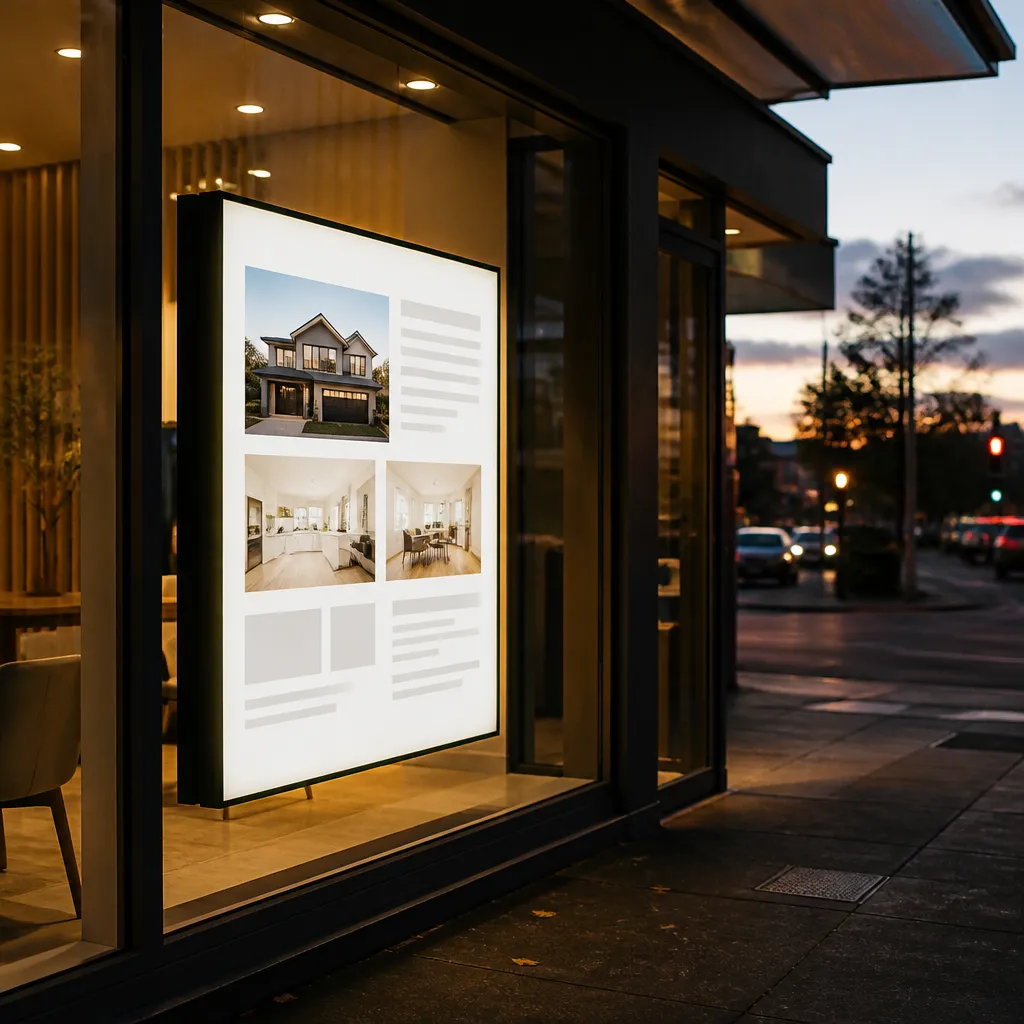
What the light box is doing
The light box does two jobs. It supplies even illumination across the whole sheet, and it protects the paper from knocks and moisture. If the diffuser is cloudy or the LEDs are unevenly spaced, the image will show bright bands or muddy corners. Fix the hardware first, then print.
Replacing a sheet is quick. You print a new file, remove the old panel, slide the new one in and close the frame. For a café or agency that changes one message a season, this simple workflow is a real advantage over a screen that needs a technician for content swaps.
Where paper stops performing
Paper has no built-in protection against direct sun. If your window takes strong afternoon light, colours will fade faster than they would behind a UV-protected LCD panel. Paper also suits modest sizes well. We supply premium backlit printing paper in A3 and A4 sizes, which suits small frames, panels and menu-style displays.
Pro tip: Before ordering paper, switch the lightbox on in a dark room and photograph it with a phone. Any dark patch you can see in the photo will appear in the final print, so fix the box first.
Where Digital Screens Earn Their Cost
A digital screen earns its place when the message needs to move with your business. Prices change, listings sell, opening hours shift and promotions run for a weekend. A screen lets you update all of that without touching the window, which is the main reason businesses pay more for one.
The screens we supply connect to remote content management over WiFi, so updates can be made from an office or a phone. Scheduling runs on Android-based automation, which lets you set different content for weekday mornings, weekend trade or after-hours. Software subscriptions include CRM and CMS integration, which matters when your listings or product data already live in another system.
Changing content without a reprint
The real value of a screen is speed. A real estate agency can replace a sold listing in minutes. A restaurant can swap a lunch menu for a dinner menu on the same afternoon. The cost of that flexibility is the software subscription, which you should price over three years rather than as a one-off purchase.
Digital media software also helps teams avoid mistakes. When content is scheduled centrally, there is less chance of an outdated price or a withdrawn listing staying in the window for a week.
What a screen needs at the window
Screens need power, a network connection and a mounting plan. Sunlight-readable panels suit windows that receive direct light, while UV-protected LCD screens help the panel last behind glass. Hanging cable LCD displays suit narrow windows or shopfronts where a full lightbox would not fit. LED backlit real estate displays are built for 24/7 advertising, so they suit windows that need to stay bright all night.
Plan the cable route before installation. A neat run that leaves the window clean is worth more than a rushed install that leaves a visible cable across the glass.
Cost and Running Costs
Cost is where most decisions start, and it is also where most comparisons go wrong. A printed sheet looks cheap because the purchase price is low. A screen looks expensive because the hardware price is up front. The useful comparison is the total cost over the period you plan to run the window, which is usually three to five years for a shopfront display.
We do not publish a single price for every project here, because the right figure depends on size, mounting, content volume and whether you need integration. What is predictable is the shape of the cost. Paper costs repeat with each reprint, screens cost more to start and then carry an ongoing software charge.
Upfront spend against reprint costs
If your message changes twice a year, paper usually wins. You pay for each reprint, but the reprint count is low. If your message changes every week, the reprint bill climbs quickly and a screen starts to look reasonable.
The cheapest format on the quote is rarely the cheapest format over three years.
Bulk paper orders can reduce the cost per sheet for agencies or chains that run the same design across several windows. That is worth raising when you request a quote, because the saving compounds across a portfolio.
Costs that catch buyers out
Buyers often forget electricity, cleaning, replacement tubes and labour. For paper, the hidden cost is usually the lightbox itself. For a screen, the hidden costs are the subscription, the network connection and the time someone spends managing content. Include all of these in the three-year number before you choose.
Pro tip: Ask every supplier for a three-year cost sheet that lists hardware, installation, software subscription and expected reprint or replacement costs. Comparing those sheets side by side usually changes the answer.
Visibility Day and Night
Visibility is the reason a shopfront display exists, and it behaves differently by day and by night. Backlit paper glows evenly after dark, which suits businesses that want a calm, premium look. A screen can be brighter and more dynamic, which suits businesses that need motion to catch the eye in a busy street.
The question is not which format is brighter in general. The question is which one stays readable in your specific window, at your specific hours, facing your specific direction. Ignore that and you will buy a display that looks great in the showroom and washed out in the shop.
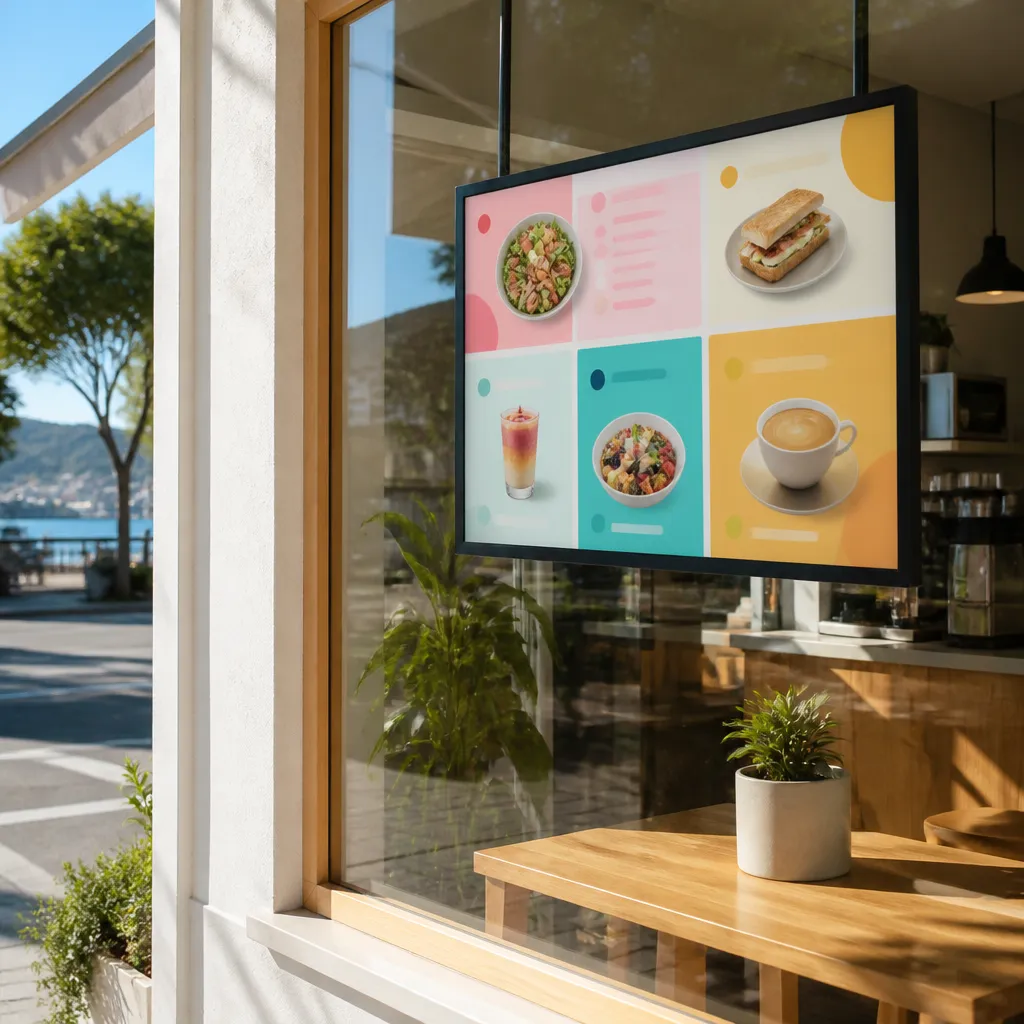
Night readability in a lit window
A backlit sheet has an advantage after dark because the whole panel glows. Text and images read clearly from across a street without needing animation. For real estate windows, that steady glow makes a property photo look inviting in the evening, when many buyers are browsing from their phones on the way home.
Screens also perform well at night, but you should set brightness schedules so the display does not blaze at 2 am when nobody is walking past. Automated scheduling handles this neatly.
Daylight and glare on sunlit glass
Daylight is where screens and paper diverge most. A standard panel can wash out in strong sun. Sunlight-readable screens are built to stay legible in those conditions, which makes them a better choice for west-facing or open-plan shopfronts. Paper behind glass in the same position will fade and lose contrast, so it needs shade or a different location.
If your window faces the afternoon sun and your trading hours run into the evening, a screen usually earns the cost. If your shop is shaded for most of the day, paper will perform well.
Format Comparison by Shopfront
Each format has a clear best use. The table below compares three common options for NZ shopfronts, based on the trade-offs we see most often when businesses choose between them.
| Format | Best Fit | Main Trade-Off |
|---|---|---|
| Backlit printing paper in an existing lightbox | Fixed brand images, permanent menus and listings that change a few times a year | Every change needs a reprint and a physical swap, and paper fades in direct sun |
| Digital LCD screen (sunlight-readable or UV-protected) | Frequently changing content, multiple messages per day and windows with strong daylight | Higher upfront cost, a software subscription and a power and network connection at the window |
| Hanging cable LCD display or LED backlit real estate display | Narrow windows, tight shopfronts and 24/7 advertising where a full lightbox will not fit | Needs careful mounting and cable planning, and the layout is less flexible than a large screen |
How to read the comparison
Start with the change rate. If the message changes less than once a month, paper is almost always the better value. If it changes every week, or several times a day, a screen will save time and reprint costs that would otherwise build up.
Then check the light. A window that takes direct sun needs a sunlight-readable screen or a UV-protected solution. A shaded window can happily carry paper. Only then should you factor in aesthetics.
Running both formats in one window
Many businesses do best with a hybrid setup. A screen can run rotating messages in the main window while a backlit paper panel carries the permanent brand image or logo beside it. This keeps the window fresh without paying for a screen to show the same logo all day.
When you split the roles this way, each format does the job it is best at, and the total cost usually sits between an all-paper and an all-screen setup.
Real Estate Windows
Real estate is one of the clearest cases for a screen, but it is not the only one. Agencies run three types of content in the window: long-running brand and team material, current listings and short-lived updates such as open homes or results. Each type suits a different format, and the best setups use both.
Estate displays are where we see the most value from remote content management. An agent can add a new listing from the office, and the window updates without anyone visiting the shop. That keeps the window current without adding admin to a busy sales week.
Listing displays that change every week
If your agency turns over listings every week, a screen with scheduled content will serve you better than reprinted paper. Connect it to your listing data where possible, so new properties appear automatically and sold properties come down without manual effort.
Keep the layout consistent so passers-by can scan quickly. A clear photo, the price guide and a contact line matter more than animation.
Sold, under offer and open home updates
Short-lived updates are where paper struggles. An open home on Saturday needs to disappear on Sunday. A screen does that with one schedule change. Paper would need a reprint, a trip to the window and a second cost that rarely pays off.
Pro tip: Keep one backlit paper panel for your agency brand and team photos, and run listings on a screen. Staff changes and new hires can be updated on paper at a low cost, while listings stay fresh on the screen.
Cafés, Restaurants and Retail Windows
Cafés, restaurants and retail stores have a different rhythm. Trade changes by hour, the menu changes by season and the promotions change by week. Those shifts favour screens for daily content, while the brand and the signature items often suit paper better because they should look the same every day.
The format that works also depends on how much space you have. A narrow café window may suit a hanging cable LCD display, while a wide retail frontage may hold a large screen plus a backlit paper panel for seasonal branding.
Specials, menus and daily prices
A café with a daily special, a breakfast menu and a weekend brunch offer will waste paper every week under a paper-only system. A screen can run each offer on schedule and retire it automatically. This is one of the clearest cases for a screen in food service.
Restaurants that run a lunch and dinner menu can use scheduling to switch content on the hour. That keeps the window accurate without staff stopping service to change anything.
Permanent brand and opening hours
Your logo, signature product or core opening hours should not change every week, and paper is ideal for that. A backlit sheet gives a consistent, premium look that matches your interior and signage. It also avoids the risk of a screen showing a dim, glitchy frame during a power problem.
Keep the brand panel and the screen separate in the layout. Customers should be able to tell what is permanent and what is temporary at a glance.
Sustainability and Waste
Sustainability often comes up when businesses compare paper with screens, and the debate is less simple than many suppliers make it sound. Some vendors present digital signage as the greener option, while others point out that printed paper is easy to recycle. Neither claim is automatically true for every shopfront, so it is worth asking what is actually being compared.
The honest answer depends on how often you reprint, how long the screen lasts and what happens to old hardware. Treat any sustainability claim as something to check, not something to accept on the sales page.
What the debate actually says
A recent thread on a digital signage forum asked whether screens are really more sustainable than print. The poster pushed back on vendor claims and noted that paper can be recycled easily. That is a useful reminder that a screen replacing many reprints can reduce waste, but only if the screen itself is kept in service long enough to justify the manufacturing footprint.
For a shopfront that reprints a sheet every month, a screen that runs for years can reduce paper waste substantially. For a shopfront that changes its paper twice a year, the case for a screen on environmental grounds is weaker.
Reducing waste in either format
With paper, buy in batches that match your real change rate, store unused sheets flat and recycle offcuts. With screens, choose a durable panel, keep the software current and plan for responsible disposal at end of life. Both options reward careful planning more than slogans.
Common Mistakes to Avoid
Most regrets in shopfront displays come from a handful of predictable mistakes. Buyers choose a format on looks, skip the lightbox check, forget about daylight or underestimate how often their content will change. Each of these is easy to avoid if you ask the right questions before ordering.
Another common error is treating the display as a one-off purchase. Your message, your offer and your trading hours will change. The format you choose should be able to keep up with that without becoming a burden.
Buying a screen for a message that never changes
A screen makes sense when the content changes. If your logo and opening hours have not changed in two years, a screen is an expensive way to show a static image. Use paper, or a static backlit panel, and keep the budget for the reprint that will eventually come.
The reverse mistake is just as costly. Printing a new paper sheet every week for a daily special will cost more than the screen would have, and the window will look tired between updates.
Printing paper for a tired lightbox
Paper cannot rescue a poor light source. If your box has uneven brightness, cracked diffusers or failing tubes, the print will show every flaw. Repair or replace the box, then print. The best paper in the world looks worse behind a dim lightbox than a modest sheet behind a good one.
Pro tip: Set a calendar reminder to inspect the lightbox every three months. Check for dark corners, flicker and dust, and replace tubes before they fail. A small maintenance habit protects the appearance of every sheet you print.
Frequently Asked Questions
Is backlit printing paper good enough for a busy NZ shopfront?
Yes, for fixed messages in a lightbox that is in good condition and shaded from strong direct sun. Paper suits brand images, permanent menus and listings that change a few times a year. For busy windows with frequent updates, a screen usually saves more time and reprint cost.
When does a digital screen make more sense than backlit paper?
A screen makes more sense when your content changes weekly or several times a day, when your window takes strong sunlight, or when you need to schedule offers by time of day. It also helps when several people update content from different locations.
Can I use both backlit paper and a digital screen in the same window?
Yes, and many businesses do. A common setup is a screen for rotating content and a backlit paper panel for the permanent brand image. This keeps the window fresh while controlling the cost of changes.
Do digital screens need a special installation for shopfront windows?
Usually, yes. A screen needs power, a network connection and a mounting plan that suits the glass and the building. Sunlight-readable and UV-protected panels are worth considering for windows with direct light, and cable routing should be planned before installation.
How should I compare the costs of paper and screens?
Compare total cost over three to five years, not just the purchase price. Include reprints or replacements for paper, and hardware, installation and software subscription for a screen. Factor in how often your content changes, because that is what drives the long-term difference.
What has your experience been with backlit paper or digital screens in your own window, and which format would you choose for your next shopfront update?