

Hanging Cable LCD Displays for Elegant NZ Shopfront Windows
Walk down a busy high street in Auckland or Christchurch and you will usually see the same problem: a shopfront crowded with posters, stickers and stands, with no single message that a passer-by can read in two seconds. A hanging cable LCD display solves that by putting one clean screen in the glass, held by thin suspension cables instead of a bracket or a stack of props.
For NZ retailers, it is one of the few window formats that looks deliberate rather than crowded. This guide covers where it works, where it fails, and what to get right before you order.
Table of Contents
- Quick Takeaways
- Why Suspended Screens Suit Shopfront Windows
- Cable-Hung Versus Flat-Mounted Screens
- Mounting and Cable Management
- Brightness and Sunlight Readability
- Remote Content Management and Scheduling
- Comparison of Window Screen Options
- Use Cases Across NZ Retail
- Frequently Asked Questions
- References
Quick Takeaways
| Key Insight | Explanation |
|---|---|
| Hang the screen on cables, not brackets | Suspension cables keep the screen floating in the glass. That reads as premium and leaves the rest of the window open for product. |
| Set the screen height for people on the footpath | Place the centre of the screen near the eye line of a pedestrian standing at the kerb, not the eye line of someone inside the shop. |
| Plan the power run before install day | Untidy wiring is the most common complaint about window displays. Map the cable route and power point first, then order the mounting kit. |
| Check the glass and the sun before choosing brightness | Glare from direct sun washes out standard screens. Sunlight-readable panels are the right call for windows that take hard afternoon light. |
| Run one message per loop | A passer-by gives a screen a few seconds. One offer, one listing or one event beats a slideshow of five. |
| Manage content remotely so the window never goes stale | WiFi-based remote management lets you change schedules from your desk, so an old promotion does not sit in the glass for a week. |
Why Suspended Screens Suit Shopfront Windows
Shopfront glass is often the only contact a passer-by has with your business before they decide whether to come in. Most of the window’s job is done in a few seconds of attention, so the display has to be readable from a distance and calm enough to take in while someone keeps walking.
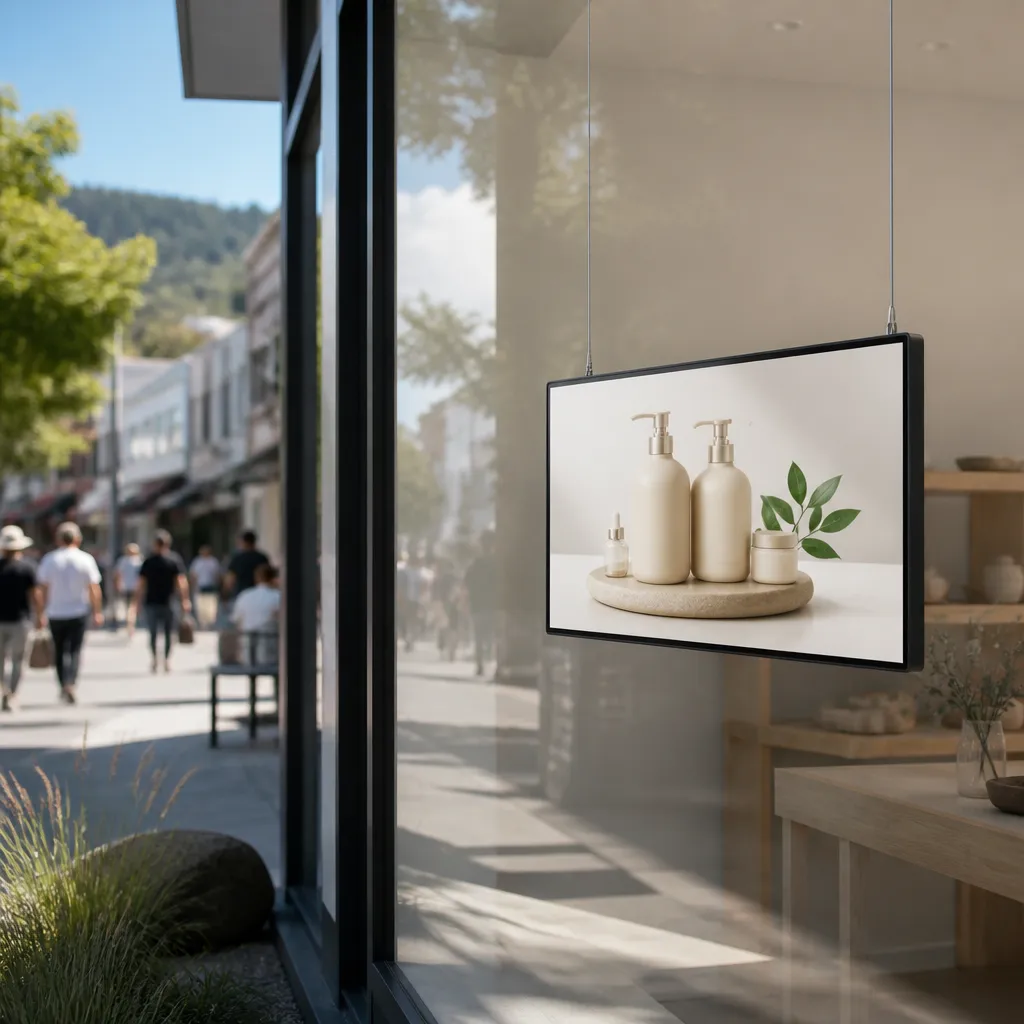
A suspended screen does that better than most formats because it has no visible frame, stand or backdrop competing for attention. The cables are thin, the panel sits at a comfortable height and the rest of the glass stays clear for product, signage or simply daylight.
Why open glass shows more of your store
Open window designs have no walls or screens behind the display, so people can see into the store. That works well when the inside of the shop is attractive, but it also means the screen has to look finished from both sides of the glass. A hanging panel with visible cable runs and a half-hidden power brick looks unfinished from outside.
In practice, the best results come from keeping the window lean. One screen, one clear content layout and a small amount of product is usually enough. Overloading the glass with stock and a screen at the same time is where most shopfronts lose the thread of their message.
The wiring problem that ruins most window setups
Wiring is the detail that decides whether a window looks premium or temporary. Exposed leads, dangling plugs and power bricks taped to the frame undo the effect of an otherwise good screen. A common mistake is to choose the display first and work out the cable route on the day of installation.
Start with the power point, the shortest sensible route to the screen and the way the cable will be concealed along the frame or ceiling. Many shopfronts are fitted with a clean drop from the top of the window, and that is where a suspended screen looks its best.
Cable-Hung Versus Flat-Mounted Screens
The main choice in a window screen is not the panel size. It is whether the screen hangs in the glass or sits flat against a wall, frame or bracket. That decision changes how the window reads, how the screen is serviced and what the shopfront can physically support.
Cable suspension is the more deliberate look. Flat mounting is simpler in some buildings, but it creates a solid rectangle that sits on the glass line and can pick up reflections from the street. Neither option is wrong, but they suit different shops.
What the cable does for the look
The cable changes the visual weight of the screen. A panel hung on two or more thin cables appears to float, which gives the window a lighter, more gallery-like feel. That matters for cafés, fashion retailers and real estate offices where the window is part of the brand, not just a sales counter.
It also gives you more control over the composition. You can position the screen off-centre, add static product below it, or use the empty glass above for a small logo. A flat-mounted screen tends to lock you into a fixed frame and a fixed hierarchy.
Where flat-mounted screens still win
Flat mounting is the better option when the window is narrow, when there is no suitable ceiling point, or when the building owner will not allow a suspension fixing. It is also simpler to maintain in some older shopfronts where the frame is already solid and the glass is cramped.
The trade-off is visual. Flat screens are more likely to sit flush with the glass, which can reflect the street at night and make the display harder to read from an angle. If you go flat, test the reflection at the time of day your foot traffic peaks, not just in the showroom.
Mounting and Cable Management
Good mounting is mostly planning. The screen has to be secure, the cables have to be neat, and the power has to be reachable without a tangle of extension leads. Most problems we see come from skipping one of those three steps, not from the screen itself.
Start with a site check on the day you measure. Confirm the fixing point, the clearance from the glass, the cable path and where the controller or media player will sit. Once those are known, the install is a straightforward job.
Anchor points and load
The fixing point is the most important decision in the whole install. Ceiling joists, structural beams or purpose-built anchor points are the only fixings you should trust with a suspended screen. A plasterboard ceiling with no backing is not a fixing point, however firm it feels when you push on it.
Check the weight of the complete assembly, including the panel, brackets and any extra fixings, before you drill. Ask the building owner or landlord for the details if you are renting, and document the fixing in writing so the install is not a surprise when the lease changes hands.
Routing power and hiding the run
Run the power cable along the same line as the suspension cables where you can. A tidy vertical run that follows the frame looks intentional, while a cable that crosses the glass at an angle draws the eye straight to the mess.
Keep the controller out of sight but reachable for service. A small enclosure, a cable tidy and a labelled power point make the next maintenance visit fast, and they stop a shop assistant from unplugging the screen to plug in a kettle.
Pro tip: Mark the fixing points and the cable path on the window with painter’s tape before any drilling starts. Stand outside the shop and look at the layout from the footpath. If the tape line looks wrong from the street, the finished install will look wrong too.
Brightness and Sunlight Readability
Brightness is the most misunderstood specification in window screens. A panel that looks bright on a showroom floor can disappear in a shopfront that catches direct sun from midday onward. The screen has to be readable in the real light of the street, not the light of the shop where it was tested.
That means choosing for the worst light the window will see, not the average. Check which direction the glass faces, how much direct sun reaches the window and whether reflections from opposite buildings come into play. A screen built for sunlight readability is a sensible choice for these windows, and a standard indoor panel is not.
Glare, glass and sunlight readability
Glare is the enemy of readability. Direct sun on a glass front bounces off the screen surface and drowns the image, especially when the content is light coloured or has large white areas. Dark backgrounds, bold type and high-contrast layouts help, but they only go so far if the panel itself is not built for the light.
In practice, test the layout at the time of day your busiest foot traffic passes. A morning-friendly design can look weak at three in the afternoon, and that is the moment most window screens are judged by passers-by.
Brightness versus how the screen looks at dusk
A window screen that is bright enough for midday can be uncomfortably bright after dark. Overly bright panels on a quiet street look harsh and can make the shopfront feel like an advertising hoarding. The right setting is the one that stays readable in daylight while still looking calm at night.
Schedule the brightness and the content together. A bright, bold promotion works in the afternoon, while a quieter listing or a brand message suits the evening. Matching the screen to the hour is more effective than running the same loop at full power all day.
Remote Content Management and Scheduling
A window screen earns its place only if the content stays current. The most common failure is not a broken panel but a promotion that ended a week ago still playing in the glass. Remote management is the fix, and it changes how a retailer or agency runs the window day to day.
The key is to treat the screen as part of your marketing system, not a one-off installation. Content, timing and reporting should be managed from one place, so a manager can update the window from the office or from a phone without needing a technician on site.
Scheduling by time of day
Android-based scheduling lets you set different loops for different times. A café can run breakfast and lunch offers in the morning, then switch to an evening menu after 3 pm. A real estate agency can show new listings during business hours and a brand story after close.
Keep the schedule simple. Three or four distinct loops are easier to manage and easier for passers-by to understand than a rotating mix that changes every few minutes. Build the calendar around the events that actually bring people past the window, such as school pick-up times, lunch hours and weekend trading.
Pushing updates without a site visit
Remote content management over WiFi means a change can go live in minutes. That matters when stock runs out, a listing sells or a promotion needs to be pulled early. It also means a shop manager in Hamilton or Dunedin can make the same change as a head office team in Wellington, without a separate site trip.
CRM and CMS integration matters for teams that already manage property listings or product data. When the screen pulls from the same source as your other marketing, the window stays accurate and nobody has to rekey details into a second system.
Pro tip: Set a fixed weekly review date for the window content. Every Monday, remove anything that has expired and check that the loop still matches the current offer. A window that is updated on a schedule looks more trustworthy than one that is updated when someone remembers.
A window screen does not fail when the hardware stops working. It fails when the message stops being true.
Comparison of Window Screen Options
Hanging cable screens are not the only way to fill a shopfront with digital or printed content. The right choice depends on the building, the change rate of the content and how much visual weight the window can carry. The table below compares three common approaches in practical terms.
Each option has a clear sweet spot. The mistake is picking a format for its look alone, then discovering that the content changes too often for a static print or that the building cannot support the fixing.
| Option | Best for | Main trade-off |
|---|---|---|
| Hanging cable LCD display | Shopfronts that want a clean, floating screen with regularly changing content | Needs a suitable ceiling fixing and a planned power run |
| Flat-mounted LCD behind the glass | Narrow windows or buildings where a suspension point is not possible | Sits on the glass line, so it can reflect the street and looks less airy |
| Static backlit paper display | Low-change promotions and property listings on a tighter budget | Every content change means reprinting, so it suits stable messages |
Comparing three window screen approaches
For most NZ retailers with a high-visibility front and changing offers, the hanging cable LCD is the strongest option. It gives you dynamic content, remote control and a lighter visual footprint. The flat-mounted panel is a sound second choice when the building forces your hand, and the static backlit paper display is still a good tool for messages that do not change often.
Cost comparisons only make sense once you account for content change rates. A static print looks cheaper until you are reprinting every fortnight. A dynamic screen looks expensive until you count the reprints it replaces.
Choosing by shop type
Cafés and restaurants usually benefit most from a hanging screen because menus, specials and events change often. Retailers with seasonal ranges also suit a suspended screen, since the content can follow the calendar without new materials.
Smaller shops with narrow fronts may find that a backlit paper display does the job better for a single long-running message. The key question is how often the window will need to change, and whether the building can carry the screen safely.
Use Cases Across NZ Retail
Hanging cable LCD displays appear in a wider range of shopfronts than most owners expect. The same basic install works for a fashion boutique on a city street, a café in a provincial centre and a property office in a suburban strip, but the content and the timing differ in each case.
The strongest results come when the screen is planned around the business, not the other way around. Start with the customer you want to stop, then decide what the screen needs to say to them in the few seconds they are looking.
Real estate agencies and their window screens
Real estate agencies have a natural need for window screens because the street is where most buyers and renters first look. A hanging screen can show new listings, open home times and recent sales, and it can be updated as soon as a listing changes. That keeps the window current without a stack of printed flyers going stale.
Agencies should keep the layout consistent across branches. A single clear template for listings, with the same colours and fonts, makes the brand recognisable from across the street and helps the team update content quickly.
Cafés, restaurants and retail fronts
Cafés and restaurants use window screens for specials, daily menus and events. The best loops are short, with large type and one call to action, such as a lunch deal or a booking prompt. Changing the content at the start of service keeps the window useful at the times people are deciding where to eat.
Retail fronts benefit from showing one hero product or seasonal range at a time. A suspended screen can carry a short product story above a clean floor of merchandise, which is a more elegant solution than a crowded window of stickers and price cards.
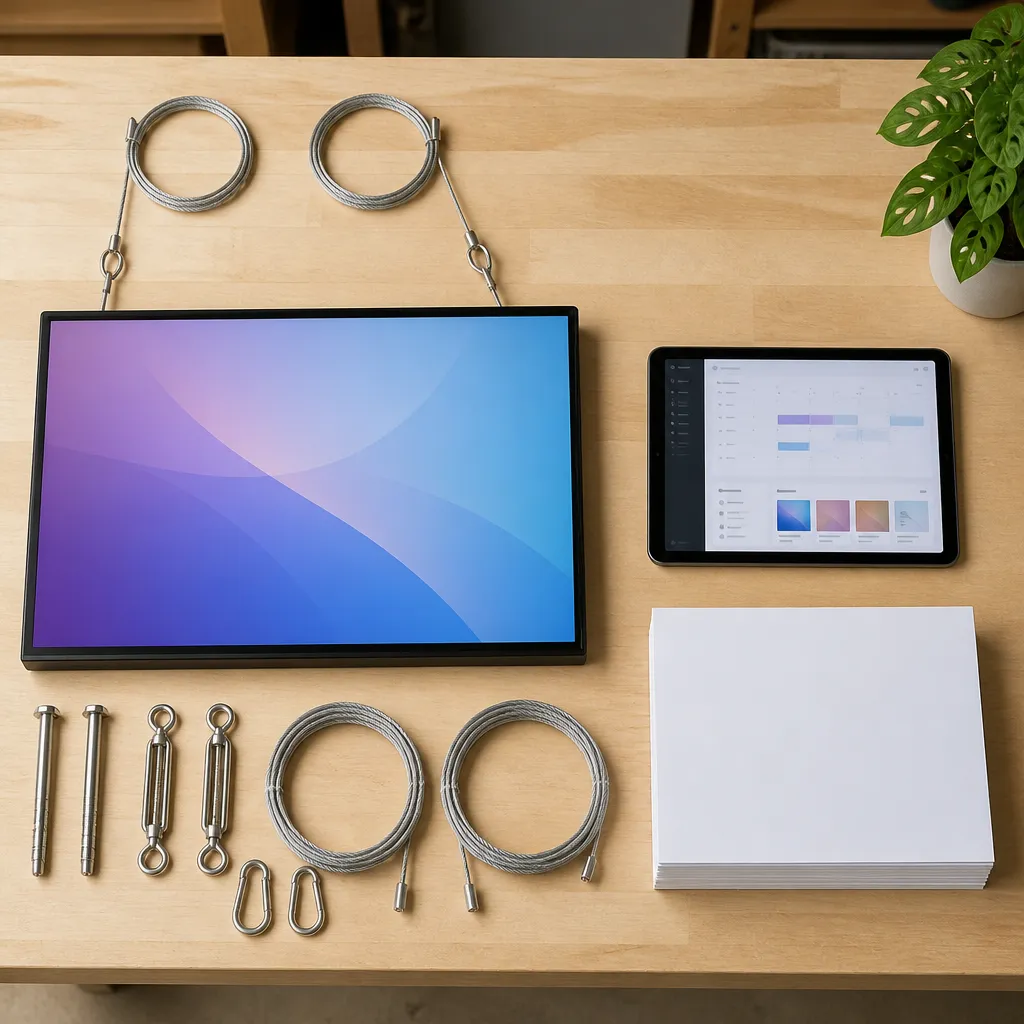
Across all these sectors, the rule is the same. A window screen works best when the message is clear, the install is tidy and the content is managed on a schedule that matches the way people walk past your shop.
Frequently Asked Questions
Can a hanging cable LCD display be installed in any shopfront?
Not every shopfront is suitable. You need a secure ceiling fixing, a clear path for the cable and a power point within a practical distance. If the building cannot support a suspension point, a flat-mounted screen may be the better choice.
Is a sunlight-readable screen necessary for every window?
No, but it is worth it for windows that take direct sun for part of the day. Check the glass orientation and the afternoon light before ordering. A standard indoor panel can look fine in the showroom and still disappear in a bright street.
How often should the content in a window screen be changed?
Review the content at least once a week and remove anything expired on the day it finishes. Cafés and retailers with daily offers may need to update more often. The key is to avoid showing a promotion that is no longer valid.
Do I need a technician to update the content?
Not if the screen is managed remotely over WiFi and set up with a clear schedule. Your team can update loops from the office or from a phone, which avoids a site visit every time a promotion changes.
What is the biggest mistake when installing a suspended window screen?
The most common mistake is planning the power and cable route after the screen is already ordered. Map the route first, check the fixing point and mark the layout on the glass before drilling. That sequence prevents most of the visible problems later.
Can a hanging screen work for businesses outside Auckland?
Yes. The same install principles apply in Christchurch, Wellington, Tauranga, Hamilton and Dunedin. V Media supplies across New Zealand, and remote content management means the screen can be run from wherever your team is based.
If you have run a window screen, or you are weighing up a suspended install for your shopfront, we would like to hear what worked and what did not. Tell us what your window faces and what your biggest challenge has been.
We would love your feedback and any insights you would share with others. What perspective would you add?
References
- Guide to seven types of retail window displays and their trade-offs
- Pinterest collection of hanging window display ideas for retail