

Shopfront Display Audit NZ: Prepare Before the Summer Rush
Most shopfront screens in New Zealand get one proper check at installation and then run on autopilot for months. By the time the Christmas and summer trading period arrives, a display that looked sharp in March may be dim behind a dirty window, playing last season’s promotion, or quietly showing a fault nobody has reported. A shopfront display audit NZ business owners run in late October or early November gives you time to fix those problems before foot traffic peaks. This guide walks through the checks we recommend, in the order we would do them on site, with notes on where owners usually go wrong.
Table of Contents
- Quick Takeaways
- Start With a Walk-Past Test
- Brightness and Sunlight Readability
- Content Schedules and Remote Management
- Wiring, Mounts and Hardware
- Comparing Display Options
- Pricing, Promotions and Stock Alignment
- Paper Displays and Printed Stock
- Frequently Asked Questions
- References
Quick Takeaways
| Key Insight | Explanation |
|---|---|
| Walk the footpath first | Check that your message is readable from about 10 metres away, because most people see your window at a distance and while walking. |
| Test brightness at midday and after dark | A screen that looks sharp at 9am can wash out in direct afternoon sun, or look harsh once the shop lights go off. |
| Give every playlist item an end date | Expired holiday and spring offers are the fastest way to make a screen look neglected. |
| Confirm remote updates work before the rush | Push a live test update over WiFi and check it appears on screen, rather than trusting a status light. |
| Inspect cables and hanging hardware | Tighten mounts, tidy visible wiring and check the power board feeding the display is not overloaded. |
| Match window prices to shelf and till prices | A mismatched price damages customer trust faster than a dull display does. |
| Order printed paper before December | Bulk print stock runs short in peak weeks, and reprints take longer than most owners expect. |
Start With a Walk-Past Test
Start outside, not inside. Stand on the footpath, roughly 10 metres back from the glass, where a passer-by first decides whether to look. Note what you read first, whether the screen is legible from that distance, and whether anything blocks the view. This is the test customers actually apply, and it is the one most owners never run.
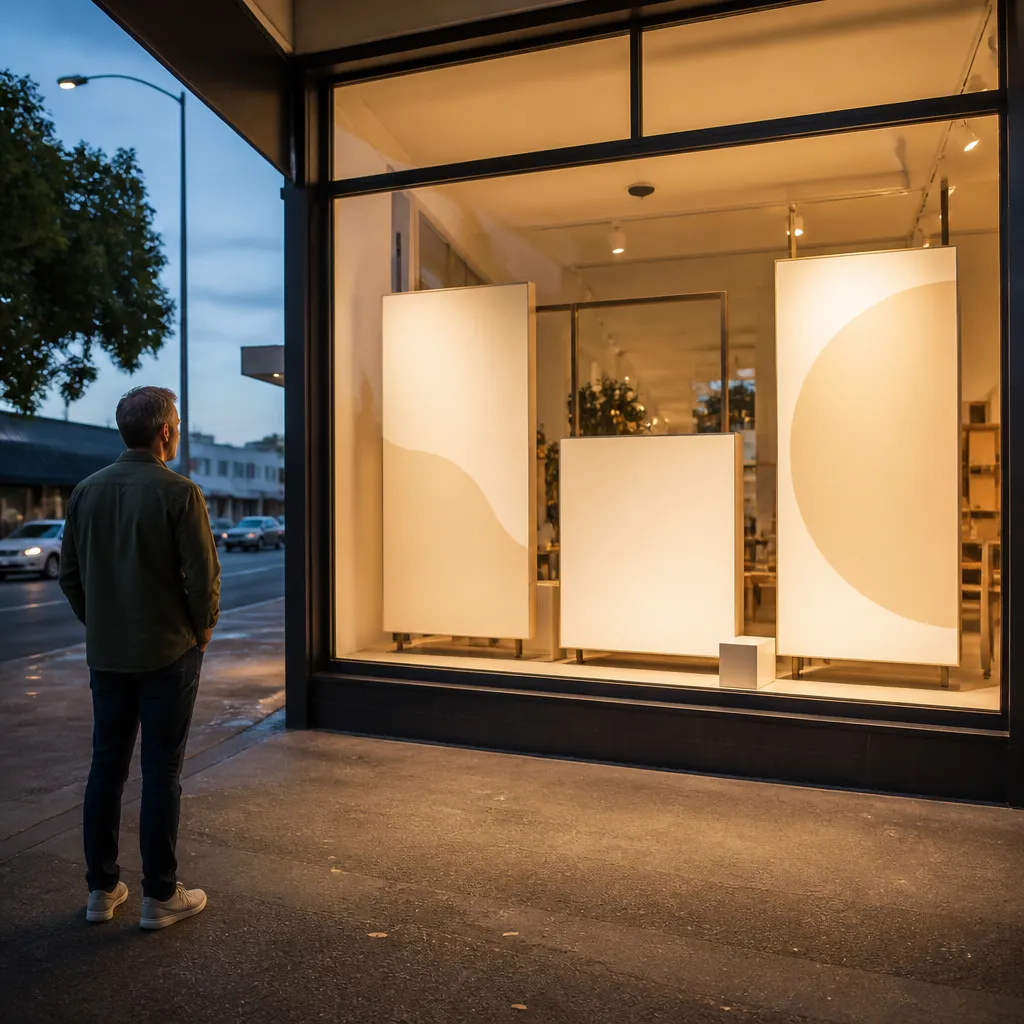
The most common failure we see is a display that works well up close and disappears at distance. Text sized for a monitor on a desk is too small for someone walking past. Keep headlines short, and give each screen one clear message rather than a rotating list of five offers.
Checking Sightlines From the Footpath
Look at the window from the angle of a pedestrian approaching along the street from both directions. Check whether parked cars, signage, trees or building features cut off the screen for part of that approach. If a screen is only visible for two or three steps, move it, angle it or simplify the message.
Removing Clutter That Competes With the Screen
Stock stacked against the glass, old price cards and handwritten paper signs all compete with the display. Store standards generally cover signage, displays, layout, safety and cleanliness, and the window is where customers see those standards first. Remove anything that is not part of the current message, then check the screen again.
Pro tip: Photograph your window from the footpath at the time of day your store is busiest. Keep the photo from installation and compare the two. The differences usually show you exactly what needs fixing.
Brightness and Sunlight Readability
Brightness is the audit item most owners skip, and it decides whether a screen works in daylight. A display that looks crisp in a dim showroom can wash out once afternoon sun hits the glass. Check the screen at midday on a clear day, not on a cloudy morning when you are reviewing settings with the installer.
Sunlight-readable screens are designed for this problem, but settings still matter. If brightness was left at a low level after a previous setup, or a backlit panel has aged, the screen will look dull to passers-by even though it still runs. Record the current brightness level and compare it with the level you used at installation.
Testing Brightness at Midday and After Dark
Run one test at midday and another after dark. A screen tuned for the sunlight can look harsh at night, and a screen tuned for evenings can disappear in the day. Set a schedule so brightness changes with the light, rather than running one fixed level all year. Scheduled changes are easier to manage on Android-based systems, where the schedule is set once and does not need someone on site.
UV Exposure and Screen Age
Window glass is a hard environment for electronics. Check the UV protection on the screen and the glass in front of it, and look for discolouration, condensation, dead pixels or patchy backlighting. A screen that has spent several summers in full sun may need replacing even if it still switches on. Plan replacements for the quieter months, not the week before peak trading.
A display that cannot be read from the footpath is not doing its job. It is simply a screen that happens to be switched on.
Content Schedules and Remote Management
Content is where most shopfront displays fall behind. A screen still showing a spring open home or a winter sale tells customers the business has stopped paying attention. Before summer, pull up every playlist and schedule and check it against your actual trading calendar.
Remote content management makes this faster, but only if you test it. Confirm that the WiFi connection is stable, that scheduled playlists are loading, and that a test update pushed from the office appears on the screen within a reasonable time. Test with the system you use every day, not a demo login.
Building a Summer Content Calendar
Write the calendar as dates, not themes. List the start and end date of each offer, the public holiday trading dates, and the week you plan to switch to a new message. If a message has no end date, it will run too long. Leave one spare slot for a last-minute change, such as a stock arrival or a change to opening hours.
Pro tip: Set an end date on every playlist item before you finalise the start dates. Expired content is the most common reason a screen looks neglected, and it is easy to catch when every item carries a deadline.
Connecting Offers to Your CRM and CMS
If your display is linked to a CMS or CRM, check that the offers on screen match the ones your team is sending by email, social media and in store. Mismatched offers confuse customers, and they are hard to spot from the back office. Checking three live offers against the source system usually reveals where a link has broken.
Wiring, Mounts and Hardware
Visible wiring is the quiet giveaway of an unfinished shopfront. Published guidance on window displays makes the same point: manage wiring and fixture visibility carefully, or the display looks cluttered and unfinished. In practice, a neat cable run does more for a window than an extra layer of graphics.
Hanging cable LCD displays need particular attention. Check that each cable is still under the tension it was installed with, that clips have not loosened and that fixing points into the ceiling or frame are secure. Movement you would never notice day to day becomes obvious when a door opens and closes all afternoon.
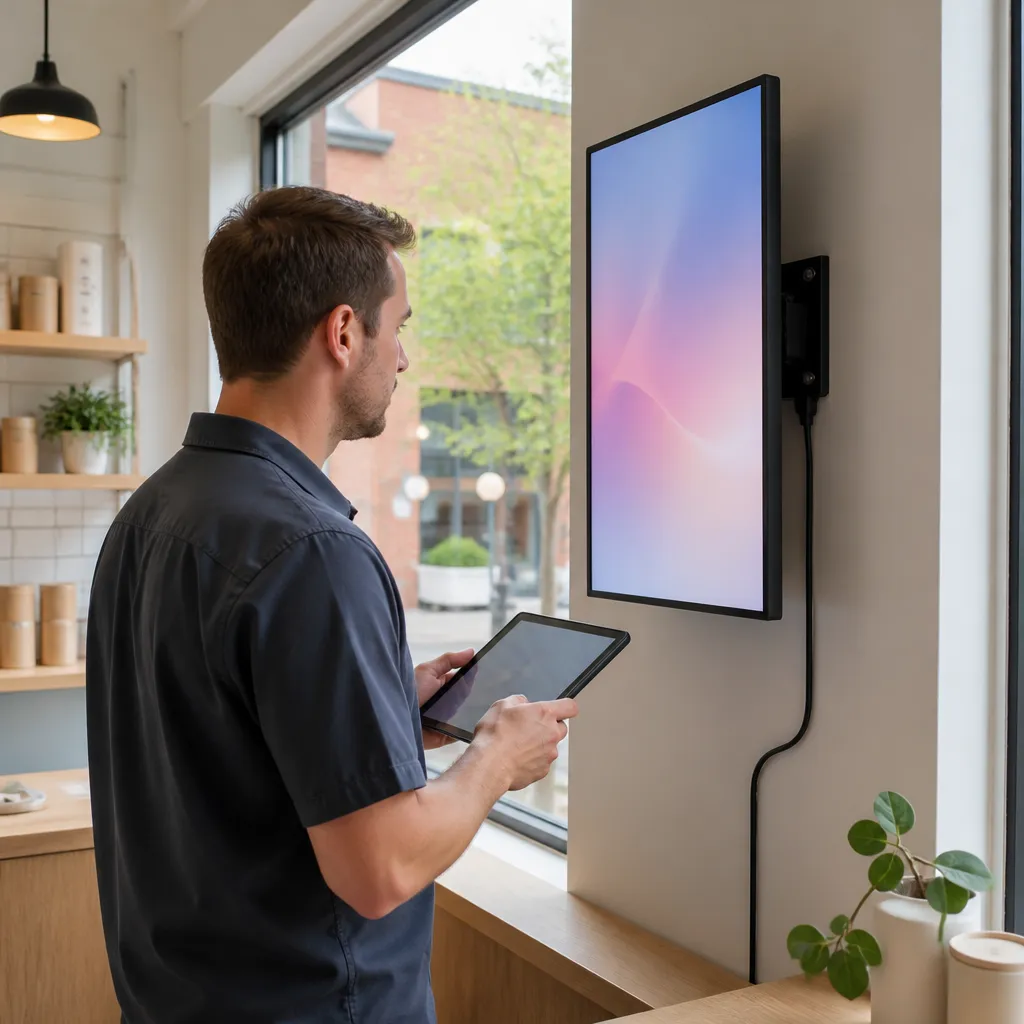
Cable Routing and Hanging Hardware
Walk the full cable path from the screen to the power point. Look for cables that cross the glass, sag into the sightline or run across a doorway where someone could catch them. Replace any cable with visible damage to the sheath, and do not treat tape as a permanent fix.
Power, Outlets and Heat Load
Check the outlet, power board and any extension lead feeding the display. Shared boards loaded with fridges, coffee machines or lighting can overheat, and a display on a shared circuit may flicker when another appliance starts. Make sure the power supply has room to vent and is not sitting against a hot surface in the window.
Comparing Display Options
If the audit points to an upgrade, compare what you have against the options most shopfronts choose from. The right choice depends on how often your message changes, how much direct light reaches the glass, and whether someone is available to manage content each week.
| Approach | Best For | Main Trade-Off |
|---|---|---|
| Static backlit window graphics | Stable messages that change a few times a year | Every change means reprinting and reinstalling |
| Digital LCD window screen with remote content | Retailers and cafés running weekly or daily offers | Needs stable WiFi, reliable power and someone to manage the schedule |
| LED backlit real estate display | Agencies showing listings around the clock | Needs careful brightness setup and a regular content feed |
For most owners, a digital upgrade pays back when the content changes often enough to justify the work. If your window message changes twice a year, a well-kept static display may still be the better choice. Upgrading a screen you do not update is an expensive way to show the same message.
Pricing, Promotions and Stock Alignment
Price mismatches are the fastest way to lose a customer who has already stopped to look. Industry guidance on product and display audits lists pricing errors and signage errors among the issues that affect sales and customer trust. Walk the window with your current price list and check every price that appears on screen against the shelf or the till.
Matching Window Offers to Shelf Prices
Start with the offers that will run during your busiest weeks. Confirm that the price, the conditions and the end date match what staff will say at the counter. If a promotion ends on a particular day, make sure the till system and the window screen change on that same day.
Pro tip: Ask a staff member who did not set up the display what the current offer is, without showing them the screen. Their answer tells you whether the message works on its own, without someone explaining it.
Planning Stock Around the Display
A promotion on screen with no stock on the shelf does more damage than no promotion at all. Check stock levels for every product you plan to feature, and build a buffer for the peak weeks. If a line is likely to run out, swap it for a product you can keep in supply before the message changes.
Paper Displays and Printed Stock
Printed material is often the cheapest part of a window to update, and the part most likely to be forgotten. Paper signs printed for spring can sit in the glass through December, fading and curling. A printed audit is a simple way to catch them before customers do.
For real estate agencies and retailers, backlit printing paper in A3 and A4 sizes still has a role alongside a screen. Use it for listings, price points and short-term offers that change faster than a reprint cycle. Check that every sheet in the window is current, clean and held in place without visible tape.

Auditing Printed Window Paper
Take every printed item out of the window, then put it back in the order it will be seen from the footpath. Look for faded colour, creases, torn corners and dated prices. If a sheet has been up for several weeks in strong light, replace it rather than rotating it back into view.
Ordering Bulk Stock Before the Rush
Bulk orders take longer to arrange than most owners expect, and shortfalls tend to appear in the first week of peak trading. Estimate how many sheets you will use each week through the holiday period, add a margin for reprints, and place the order before the end of November. Store the stock flat and out of direct sun until you need it.
Frequently Asked Questions
How long does a shopfront display audit take?
For a single window, most owners can complete the walk-past test, content check and cable inspection in one to two hours. Allow more time if the display is linked to a CMS or CRM, because checking live data takes longer than looking at the glass.
When should a New Zealand business start its end-of-year display audit?
Late October or early November is a practical window. It leaves time to order stock, fix faults and book installers before the December rush. Leaving the audit until early December usually means repairs happen during trading hours.
Is a digital window display worth upgrading to from printed signs?
It depends on how often your offers change. If you update weekly or run time-sensitive promotions, a digital screen with remote content management usually earns its place. If your message changes only a few times a year, a well-maintained printed display may be the better choice.
Do I need to check the WiFi connection on my display before summer?
Yes. Test the connection with a live content push, not just a status light. Confirm the screen can receive updates from outside the store and that scheduled playlists run without someone resetting the device.
Who should carry out the shopfront audit?
Ideally, someone who was not involved in setting up the display. A fresh pair of eyes notices the faded corner and the outdated price that the installer stopped seeing months ago. Give them the walk-past checklist and the photo taken at installation.
If you have run a window audit before a busy trading period, we would like to hear what you found first and what you would check differently next time.
We would love your feedback and any insights you would share with others. What perspective would you add?